We are constantly adding new capabilities to our integration with Raiser’s Edge NXT to help you create delightful alumni experiences while minimizing the resources and time you spend collecting, cleaning, reporting and updating data.
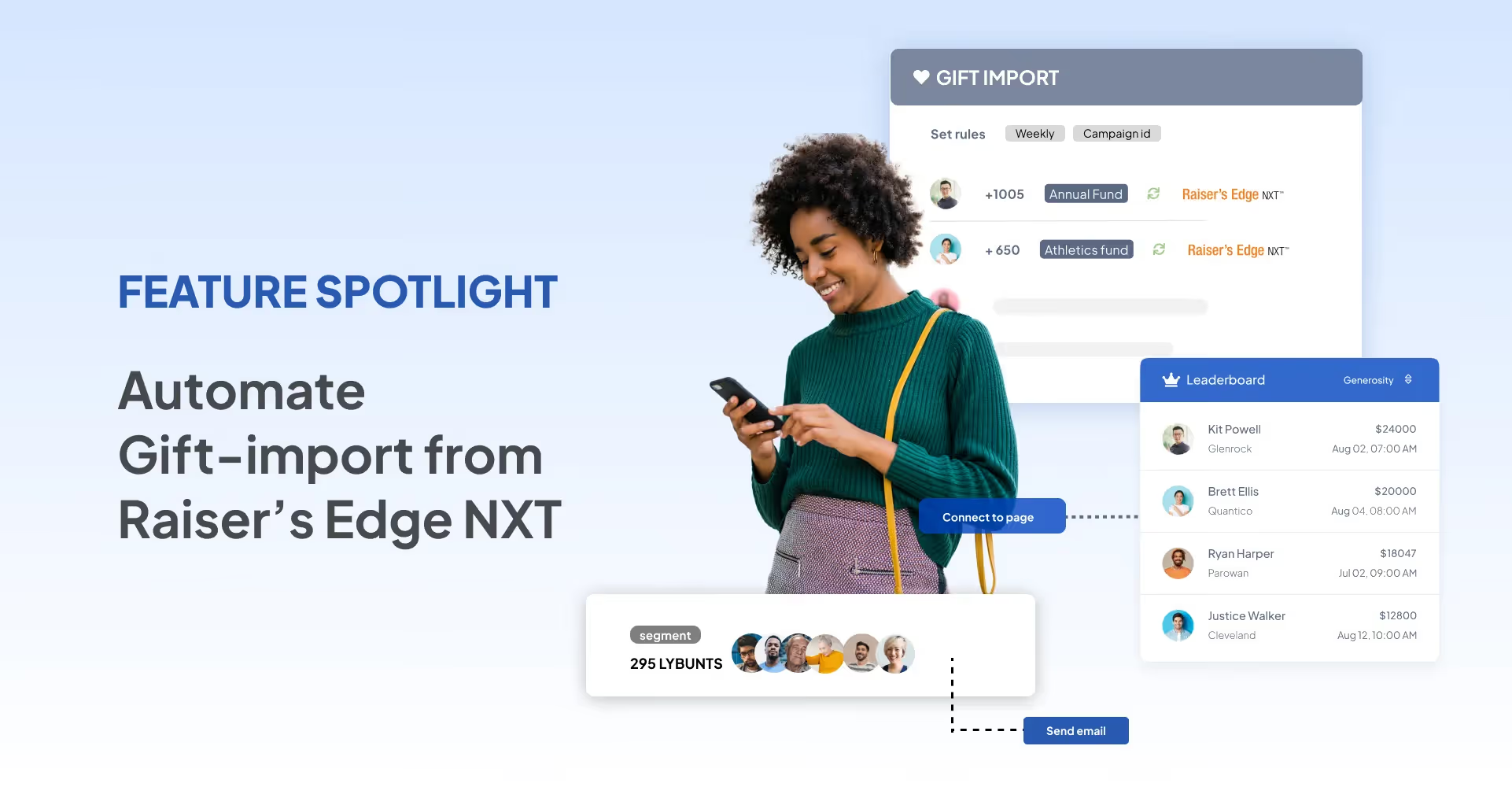
We are constantly adding new capabilities to our integration with Raiser’s Edge NXT to help you create delightful alumni experiences while minimizing the resources and time you spend collecting, cleaning, reporting and updating data.
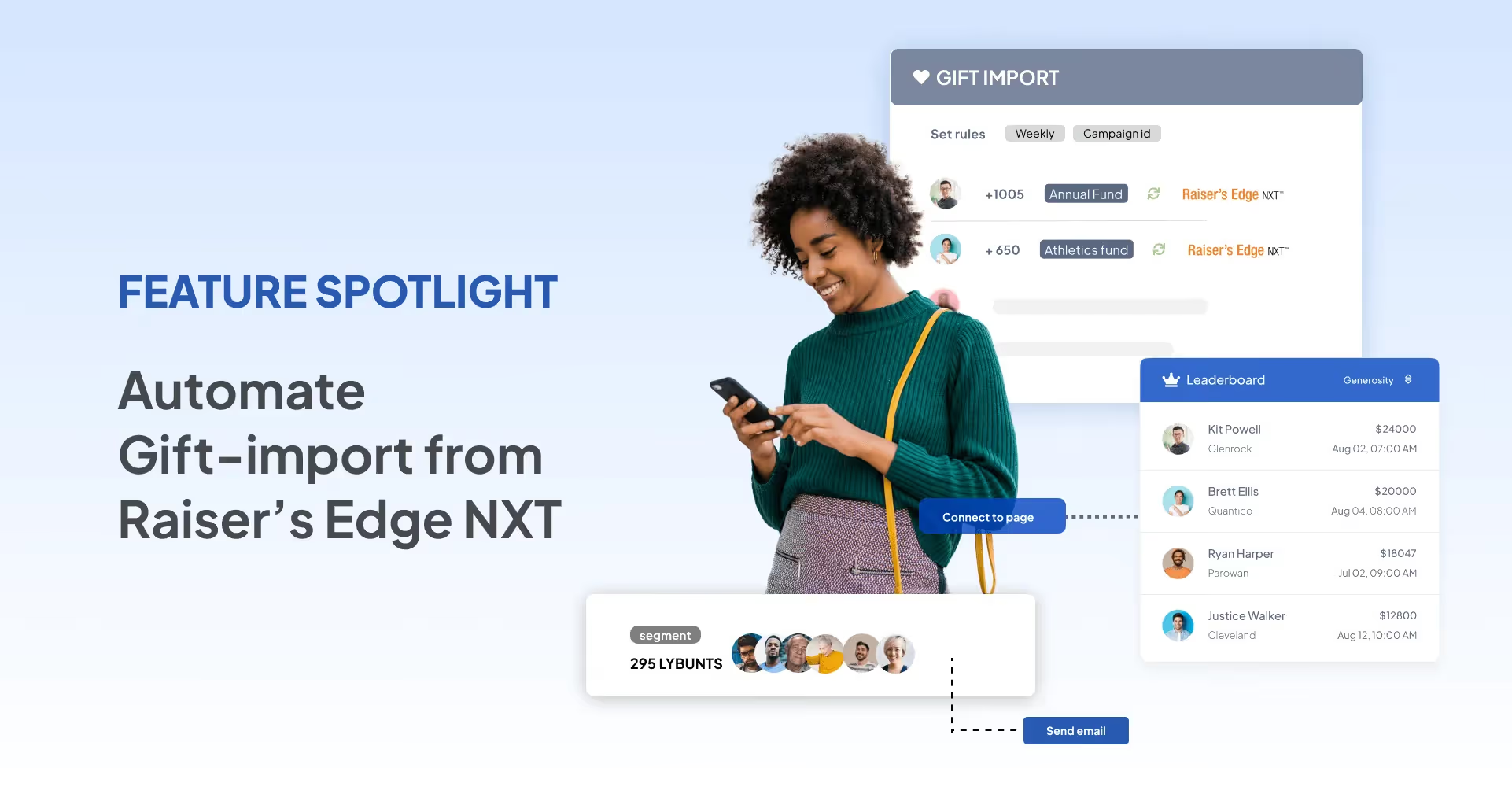
That’s why today we’re thrilled to introduce the gift-pull feature that makes it effortlessly easy for you to pull gifts from Raiser's Edge NXT based on various criteria like fund, campaign, appeal, and date-range and relay them back to specific giving pages.
No more going back and forth to check if the gift data across your systems are the same. Gift-Pull ensures they will be.
Let's dive into the key highlights of this feature:
While previously you could push gifts received on Almabase in one click into Raiser’s Edge NXT, now you can pull any gift from Raiser’s Edge NXT. We’ve provided a range of filters like campaign, appeal, gift type and date-range to ensure you’ve complete control over what gifts you import.
We just one-upped the raft of filters that let you create personalized email outreach campaigns. Thanks to the gift-pull feature, your constituents’ gift history is now updated on Almabase, which means you can now build email lists based on giving behavior.
Planning a targeted email campaign just for LYBUNTS? Let’s do it.
Adding a gift manually to Raiser’s Edge NXT? No problem. Now you can relay that gift data back to Almabase, thus ensuring your leaderboards and campaign goals on the giving pages reflect the latest donations received. You can also configure automated gift-pull workflows at intervals you like for your ongoing campaigns.
Additionally, special care has gone into ensuring duplicate entries don’t crop up either in Almabase or Raiser’s Edge NXT every time a pull is made.
Keeping any collaborators informed will help avoid any unplanned imports. You can create a list of recipients to notify every time a gift-pull is completed.
Our gift-pull feature is available starting today.
If you’re an Almabase customer, simply log into the platform to create your first gift-pull.
If you’re not an Almabase customer, click here to learn more about our industry-leading integration with Raiser’s Edge NXT.
Subscribe
See how modern advancement teams bring alumni engagement and fundraising together.
Plan faster. Execute better
Explore free templates designed for alumni and fundraising teams.
.png)

.avif)
It can be terribly hard to keep data sane and organized, and even more so when your team’s working with different platforms to store constituent data.
Moving things across several platforms can be a daunting task, but we’ve got you covered. If your institution uses Blackbaud’s Raiser’s Edge NXT to store constituent data, Almabase’s state-of-the-art integration with RE NXT makes data management a breeze. The integration works right out of the box, and with a push of a button, you can have your data flow seamlessly between Almabase and RE NXT.
Read how Northwestern Health Sciences University leverages Almabase & Raiser's Edge integration for their engagement and fundraising needs.
Here’s everything you need to know about Almabase’s integration with RE NXT.
We started working on this integration with a simple goal – to ensure that your team won’t have to spend resources (and their time) on an expensive third-party solution. That’s why our integration works right out of the box, without the need to set it up manually. With the integration, Almabase and RE NXT can sync multiple data points with the push of a button. What’s more, the data that flows between the platforms is going to be clean and structured, without the hindrance of duplicates. This means that there will be zero compromise on the quality of your data when it flows between systems, which is a huge plus for your IT team.
We’ve approached our integration to sync data based on three distinct fields, which are:
Each of these fields relates to an engagement touchpoint that a constituent might create through different channels. For instance, imagine an alum makes a gift to one of your campaigns, or another registers to and participates in your next event. All of these data-points will be captured and relayed back to RE NXT through the integration.
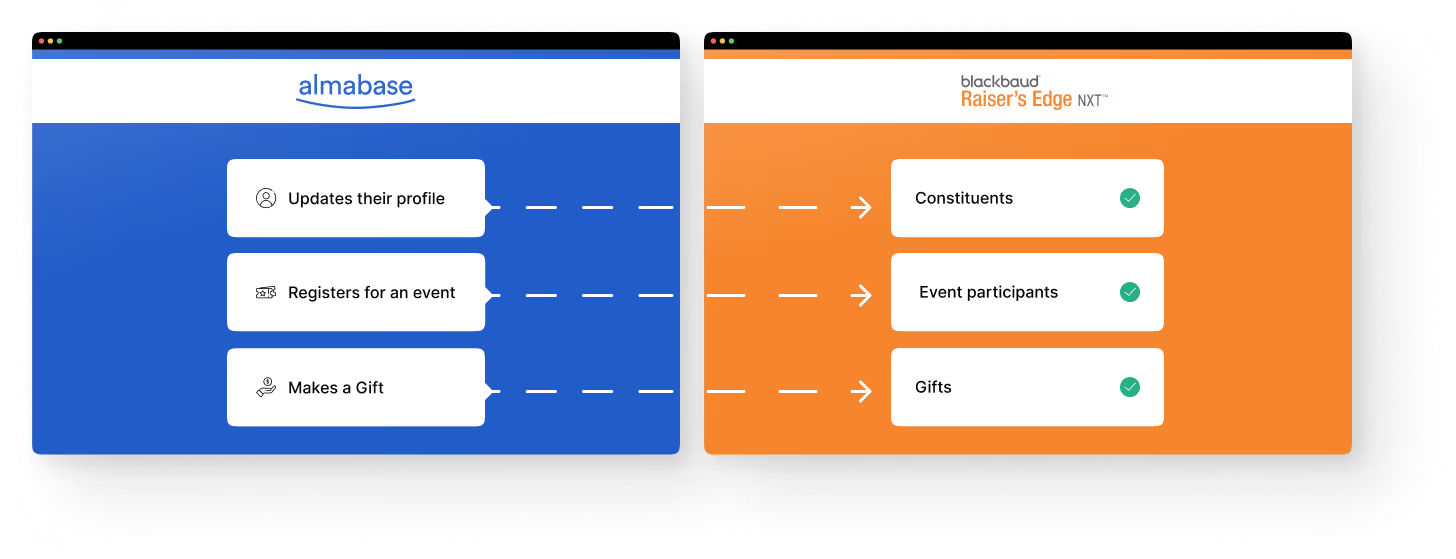
With Almabase, your alumni have the option to sign up using social sync (either through LinkedIn, Facebook, or Google). By using social sync to sign up, the platform automatically pulls the latest information of your constituent. This information will be fed back to RE NXT, where their records will be updated. Here’s a look at the data that gets collected and updated:
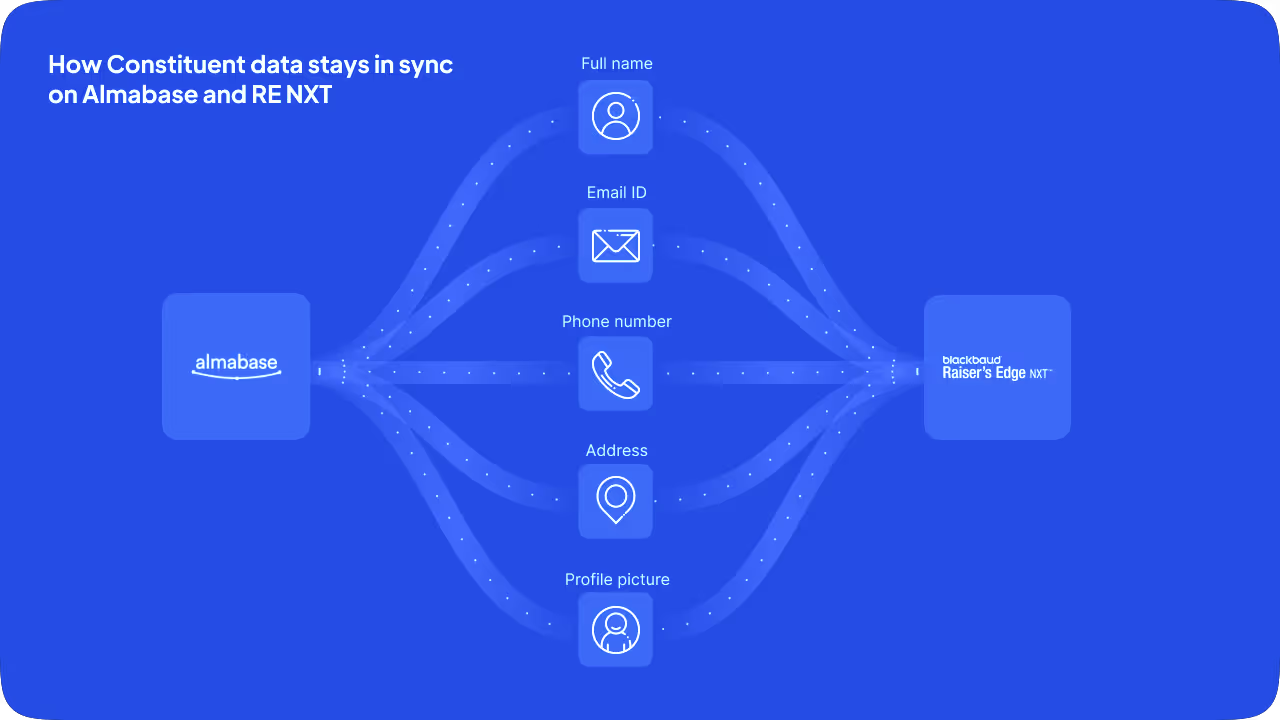
However, that’s not all. Any time a constituent updates their information while registering for, or participating in an event, the updated information automatically flows back to their record on RE NXT. All of this magic happens behind the scenes, without you or a team member having to lift a finger. This can be a huge time-saver for Advancement Services professionals.
Every time you create an event page on Almabase, the integration syncs key data points of this event (event name, date, description, ticketing details, and so on) with RE NXT. This means that all events created on Almabase will also be reflected in your RE NXT database.
Once an event page is live and open for registrations, you can go to the corresponding event page on RE NXT to view detailed participant information. Here are a few key details that get recorded on RE NXT as soon as your constituent completes their registration:
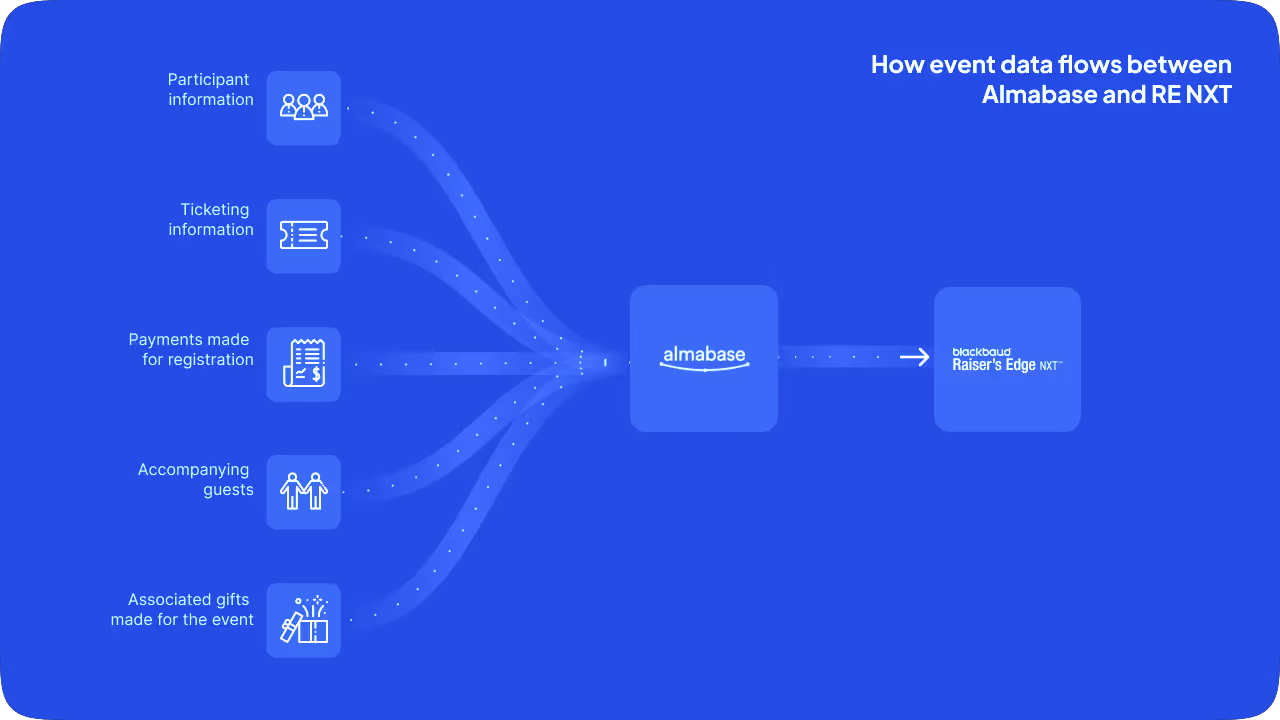
You can always create custom workflows to dictate how the data should flow back to RE NXT, and which fields they should correspond to. You also have a whole host of options when it comes to printing receipts. All of these features take the stress out of events for your event managers!
Every time a constituent pledges a gift to your giving campaign on Almabase, the data associated with each gift will be reflected on our versatile gift dashboard. Payments made on Almabase can be split into gift amount and services/tickets to accommodate any downstream processes as well. From the dashboard, you have the option of creating a batch of gifts, using a broad set of data filters. Once you’ve created a batch, you can run a workflow to import all the gifts corresponding to that batch into RE NXT. Here are some of the data points that get synced:
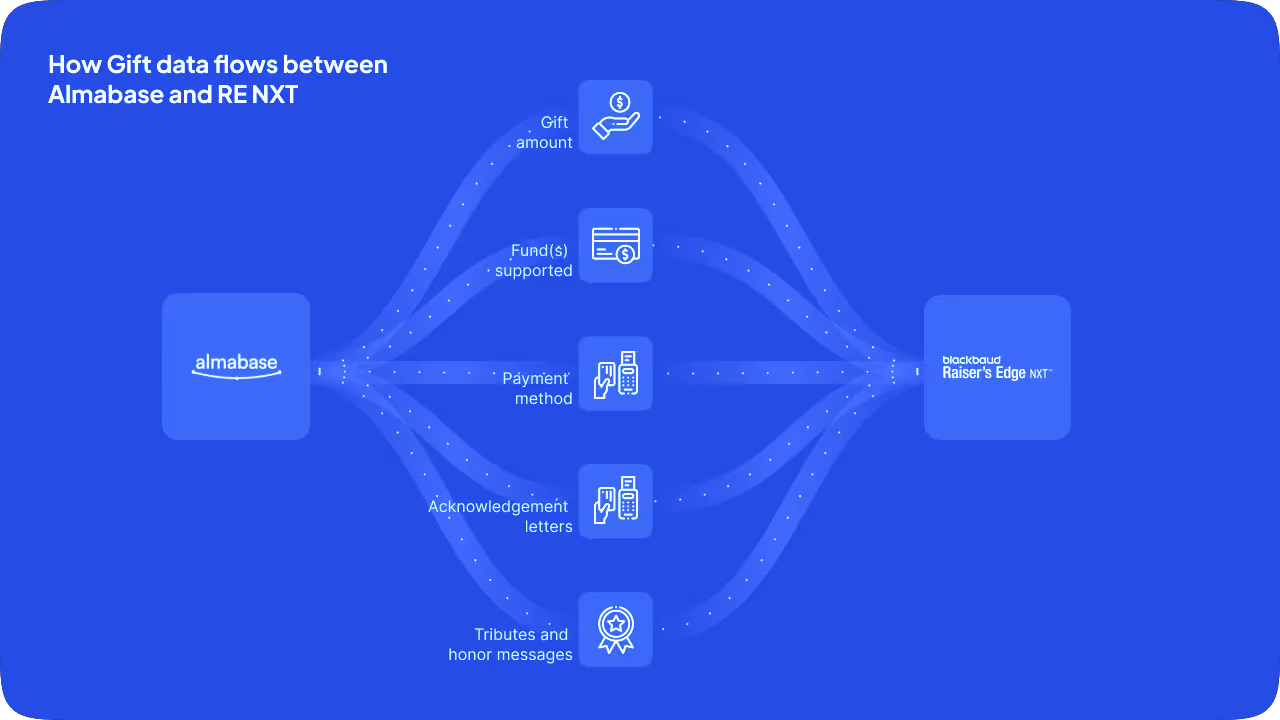
Creating a batch of gifts on Almabase is simple, as you have plenty of filters at your disposal. Once gift data flows to your RE NXT database, you can view all your gifts, and even make edits to gift details wherever needed. This can help professionals working with Annual Fund and Major Gifts to plan more effective campaigns and raise more funds.
**
So there you have it – an overview of Almabase’s best-in-class integration with Raiser’s Edge NXT. While we tried to cover most of how the integration works, there’s still a lot we couldn’t fit into this blog post, for obvious reasons.
If you want to learn more about how the integration can help set your Advancement Team up for success, we have a blog post just for that.
Get in touch with one of our Alumni Success specialists if you want to see the integration in action - we have a feeling you’re going to like what you see!
.avif)
.avif)
Almabase 🔁 RENXT | Simplified data processes for your educational institution
Lorem ipsum dolor sit amet, consectetur adipiscing elit. Suspendisse varius enim in eros elementum tristique. Duis cursus, mi quis viverra ornare, eros dolor interdum nulla, ut commodo diam libero vitae erat. Aenean faucibus nibh et justo cursus id rutrum lorem imperdiet. Nunc ut sem vitae risus tristique posuere.
%201.svg)
%201.svg)
%204.svg)




.svg)