It's not hard to see why a lot of schools are starting to inculcate a culture of mentorship within their alumni community. There was a clear opportunity to capitalize on the interest of the alumni to mentor students. So, we took a step further from user preferences to build a mentorship feature right into the platform.

Sometime back, we introduced 'user preferences' on the Almabase platform. Almost everybody utilized the feature to identify potential mentors for their current students and young alumni. Six months after the launch, we could notice the trend clearly.
Mentorship programs have historically seen great engagement and it has been a hot topic recently for a couple of key reasons :
1. The ask is a lot more appealing to younger alumni. Asking someone to spend an hour a week mentoring a student in a topic that interests them is a lot easier to sell than a $20 donation.
2. Recent graduates who have benefited from a mentorship program, tend to pay-it-forward by mentoring current students.
3. It develops a sense that the institute cares about the benefit of the community.
4. It fosters a culture of growth and leadership in the alumni.
5. It promotes a sense of cooperation and harmony within the entire community.
It's not hard to see why a lot of schools are starting to inculcate a culture of mentorship within their alumni community. There was a clear opportunity to capitalize on the interest of the alumni to mentor students.
So, we took a step further from user preferences to build a mentorship feature right into the platform. Honestly, we're quite excited to see how it will foster better engagement among alumni communities globally.

The mentorship feature is a personalized inbox for every user on your network. The interface hinges on the conversations page, which enlists all the active conversation the user has with his/her mentors and mentees.
The tool is designed to provide both mentors and mentees with incredible flexibility to dictate the terms of their relationship. It ensures a higher user adoption rate by reducing friction at every step. Here are some of the key things to look out for in the feature :
'Services' are a list of topics or activities that mentors can choose to assist mentees with. By default, there are 7 services configured into your website :
1. Networking
2. Resume Review
3. Interview Skills
4. Life Skills
5. Academic Guidance
6. Career Guidance
7. Job Shadowing
8. Industry Insights
These lists, however, can be configured to any of the services that are specific to your institution.
A predefined set of mentorship services help towards ensuring that each match is relevant for both the mentor and mentee.
Many platforms force mentees to find mentors merely based on their availability. With services, mentors can select in which way they can contribute the most. While looking for mentors, mentees can close in on a small set of mentors who are particularly interested in the help they require.

For a successful mentorship program, you need to balance both sides of the equation. You need mentors to be available to help, and mentees approaching the alumni for help. The challenge is to meet the expectations of both the stakeholders while accounting for their personal preferences and limitations.

Mentees do not get a force-fed match. They can select a mentor they really like, based on who is available for the help they need.

Mentors, on the other hand, have the liberty to accept or decline a request for mentorship - taking into account their availability or personal or any personal preferences they may have. Mentors can even remove themselves from mentorship services if they feel they are being overwhelmed with new requests.

Right from the request to the conversations themselves, mentorship happens on email. Both the mentor and the mentee can simply reply to messages easily from any of the devices they are using, without the need to login to the Almabase dashboard.
The conversations window allows users to view and manage all their active and past conversations. This helps keep the context clear to both the parties at all times. As soon as the users feel that the goal of a conversation has been reached, they can simply close or archive the thread.


The feature is available in Beta today for all of you who would like to try it out with your alumni community. Get in touch with your account manager to learn more about how to get started.
Let us know in the comments below on how you plan on using this feature and features that you would like to see included in the full release of the feature.
Table of Contents
Subscribe
See how modern advancement teams bring alumni engagement and fundraising together.
As we continue our focus on user engagement, we are today laying the foundation for what we envision to be one of the primary drivers of engagement on your platform... Feeds!
Feeds have been around on Social Media for almost as long as they have existed — so it is by no means a new concept. Over the next few quarters, you will start to see your Almabase platform utilize feeds as the primary driver for engagement and user-generated content.
This is just the beginning and there is a long way to go. But we are excited to announce that Starting today, our first version of feeds will be available on all events on the new events module. Over time, users will be able to interact with the feed on other features such as Groups as well.
1. User-generated content that other users can comment or like.
2. Admins can delete any post or comment at any time.
3. Users can report violations or abuse on any content created by other users.
4. Users can now share photos to the feed.
5. Only logged-in users can post content.
6. Administrators can hide the entire feed if required.
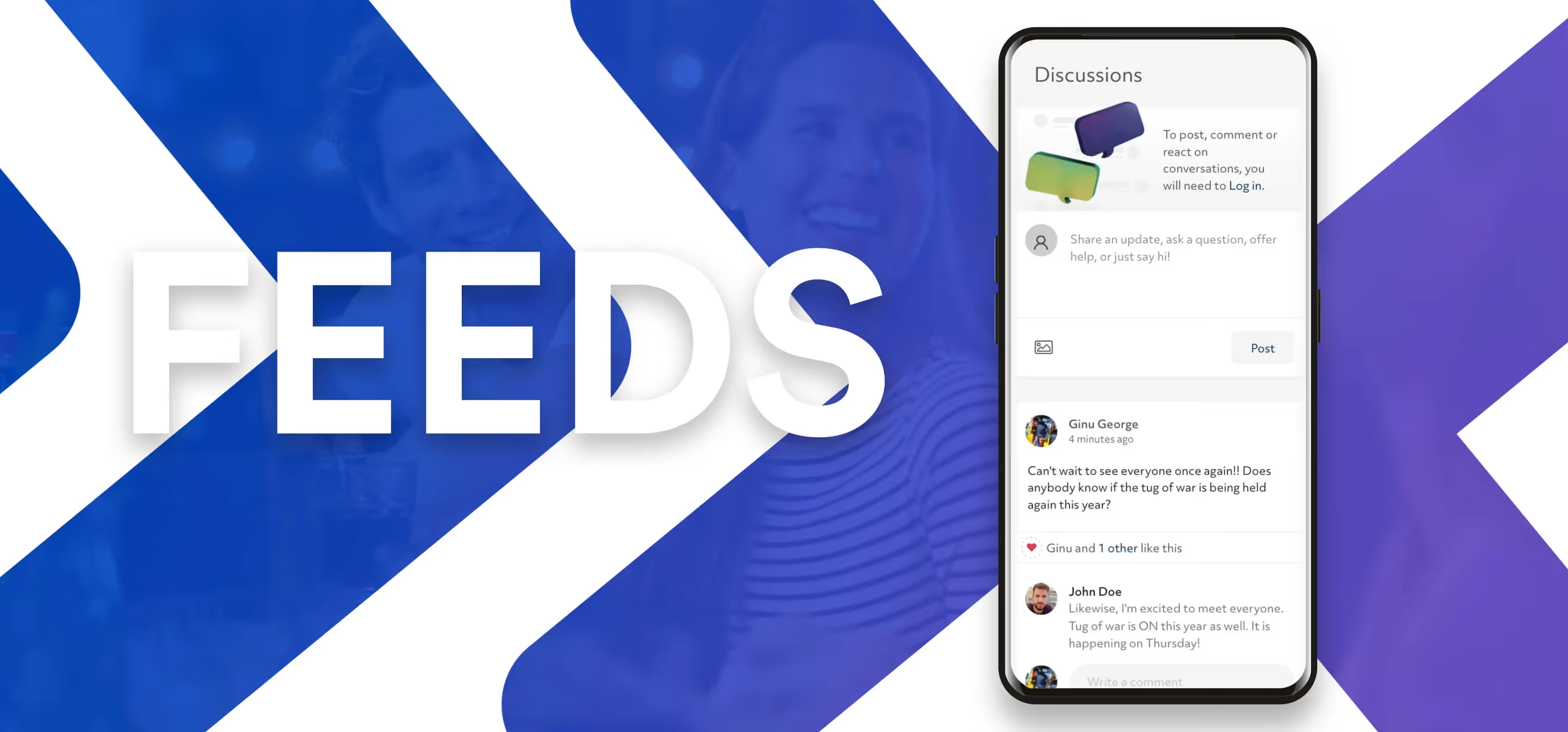
Feeds are finally here.
Feeds have been around on social media for almost as long as they have existed — so it is by no means a new concept. Over the next few quarters, you will start to see your Almabase platform utilize feeds as the primary driver for engagement and user-generated content.
Lorem ipsum dolor sit amet, consectetur adipiscing elit. Suspendisse varius enim in eros elementum tristique. Duis cursus, mi quis viverra ornare, eros dolor interdum nulla, ut commodo diam libero vitae erat. Aenean faucibus nibh et justo cursus id rutrum lorem imperdiet. Nunc ut sem vitae risus tristique posuere.
Estimated Reading time: 5 minutes
When you dig down to the fundamentals - the most significant challenge with alumni relations is the same for most of us.
“How do I continuously engage all my alumni, yet remain personal, at scale, with a small team and limited resources?”
Not easy. Certainly.
Over the last five years, we’ve been doing much research to try and address this.
What we’ve come to believe is that there isn’t a silver bullet that will solve this problem. What we’ve also come to realize is that alumni will not regularly engage amongst themselves without something external that drives them to do so.
This is precisely why social network groups (Facebook/LinkedIn) fall flat. Over time, the group and the content within it become stale. The content that does get added becomes irrelevant and fails to provide enough value to its members. Since there isn’t anything of value to bring people back to the group, the group eventually dies out.
This is an age of specialized solutions for specific problems. It’s no different with alumni. They are most likely to listen when they’re receiving communication relevant to and targeted at them. If not, they tune it out.
So, what is the solution?
Like I’d said - there is no silver bullet to this problem. However, we are attempting to solve it - step by step.
Our first step to address this was taken last year -- with v1.0 of the Groups module on Almabase. With this, we wanted to understand how effectively a group would engage when someone drove the engagement.
Of course, we understand how stretched alumni offices are. We needed to do this without adding additional load to you and your team.
So, we built groups 1.0 focused around ‘Group Admins’.This would help you break down your alumni into smaller chunks, and help you delegate this responsibility of engaging smaller communities to those who are possibly more attached to the community.
Like a class leader for a class, a football coach to former football players, or a chapter president for a regional group.
1. For the most part, Group admins, on their own are not always incentivized to drive engagement
2. Fresh, valuable content drives engagement - and the group admin(s) alone cannot generate enough content to keep a group from going stale.
3. Unlike social networks - the purpose of an alumni network is more specific. Members arrive with particular objectives in mind (attend an event, reconnect with classmates, career networking, seek advice, find a job, etc.) The frequency of interaction is much lesser - so it’s all the more critical that the content they interact with be very relevant to them.
4. Different kinds of groups have different requirements from their administrators - some might want to be deeply involved, and some just superficially.
5. The frequency of engagement is vital - too frequent, and your community tunes out. Too infrequent, and your loses relevance and becomes stale.
We summarized this into three key challenges that we need to address, to be able to engage alumni:
Creation: Creating valuable content, frequently, without the burden for this falling on one or a few people.
Curation: Collating content such that each member of the community receives relevant content that is of value to them
Distribution: Distributing this curated content to appropriate people at a frequency with which they are comfortable.
Earlier, each of these three challenges fell on the shoulders of you and your office.
We want to build a solution that shifts most of this responsibility to the technology that powers almabase. It will automatically take care of Curation and Distribution while driving people to Create more content.
We are building a ‘Feed.’ All users can now post, like, comment and react. Content creation is no longer a job for just admins. Everyone can contribute to communities that they care.
The system will look across the groups that are relevant to each alum, and curate content that they are most likely to find value. For instance, if someone is part of the groups for ‘Class of 86’, ‘Law Alumni,’ ‘Alumni in San Francisco’ and ‘Baseball,’ the system will take care of curating the most relevant content from those groups and then send it to this person.
The feedback loop. We’ll be building an automated digest that is curated and personalized for each member based on what they choose to stay connected with. It will then be delivered at a frequency of their choice. All without you having to get involved. This will drive alumni back to the platform and hopefully urge them to create more content and close the loop.
1. Groups are going to become very central to all engagement on your alumni platform.
2. As it ties together all these different components for engagement, the product going forward would focus a lot on ‘groups.’
3. Increased peer to peer alumni engagement
4. A ‘feed’ within each group or module will allow users to post, like, comment, and interact with others in the community.
5. Distributed Fine grain control for group administrators
6. You’ll have much more control over the permissions of each group administrator. You can set different levels/combinations of permissions for each. E.g., if you want a group admin to be able to approve users, or update profile data of members - but just within that group.
7. Personalization gets more powerful
8. Customized email digests, notifications, segmentation based on engagement on the ‘Feed.’
9. ‘Chapters,’‘MyClass,’’ Sub-Colleges’ will get deprecated by November 2019
10. These discrete modules all going to be absorbed into groups. For those of you that use it, we’ll help you migrate to Groups.
We wanted to be upfront about this.
All of these are hard problems to solve and will take time to get them right?
However, we’ll get there.
Such an integrated system is something that has not been attempted before in the industry, but we’re finally at a time where we have the technology to pull it off.
We’re going to build this step by step, and we’d love to hear feedback along the way. Bear with us till we reach the final state, and I’m sure you’ll come to love the product. :)
1. The first noticeable change on the product is going to be with events
2. You’ll now see a Feed within each of your events where alumni can post, like, comment, and interact with each other.
3. Events are always a gathering point for people to interact with. It’s currently the single most significant driver for online alumni engagement across our partners. Adding a feed within events first will give us a lot of great insights that we can take back to the drawing board before rolling it out to groups.
4. Within the next one-two months, you’ll see Feeds within Groups as well, as well as the first version of the notification system!
Big changes ahead!
We’re excited. Hope you are too :)

Building the Next Generation of Online Communities
Here's our attempt at trying to solve the challenge of continuously keeping alumni engaged yet remain personal, at scale, with a small team and limited resources.
Lorem ipsum dolor sit amet, consectetur adipiscing elit. Suspendisse varius enim in eros elementum tristique. Duis cursus, mi quis viverra ornare, eros dolor interdum nulla, ut commodo diam libero vitae erat. Aenean faucibus nibh et justo cursus id rutrum lorem imperdiet. Nunc ut sem vitae risus tristique posuere.
Events have been around on Almabase for a while now and has grown to be one of among most utilized channels to engage constituents offline. As usage grew, the kind of events that needed to be created grew diverse and the more we realized that most event solutions out there, are not meant to handle the kind of complexities that come up during reunions - while considering engagement data to manage.
So, we went back to the drawing board to redesign events and we're excited to roll it out today to all platforms.
While a whole lot has changed (we will be covering more in our support documentation), here's everything you need to know :

We've completely redesigned the interface and experience for the user. Each event also now lives on its own page – free from unnecessary navigational options.
Additionally, the admin side for events is now entirely mobile responsive. Which means you can create an event, add photos, add guests, check-in guests, record payments, export, and everything else you needed to do from your computer, now on your mobile device.

Need to accommodate for change of plans? different tickets? additional guests? Not a problem. Each registration can now be edited both by the guest and event admins.
Guests can now also respond with a 'Maybe' or 'Not attending' during their registration.

You can now assign tickets to your event schedule (previously called 'Agenda') which will then appear to your guests in chronological order as they select the tickets they require. Great for grouping sub-event tickets and displaying tickets in the same order as that of the event schedule.
You can now select one of three types of tickets based on your use case.
1. Mandatory Tickets behave like base fares that need to be applied to every guest on the registration (including accompanying guests).
2. Seated Tickets behave like reservations made for a particular guest. Use seated tickets when the person needs to be physically present at the event, or when you need to know exactly which guest is attending and not just a number, like at an award ceremony or dinner. Seated tickets also work great with guest forms - more on that later.
3. Open Tickets behave like anonymous tickets that can be bought in any quantity by the buyer. Works great for t-shirts, tours etc.
Oh, and tickets now also support images for that homecoming merchandise :)
Previously, you could add a 'Registration Form' that was asked once per registration. With the new events, you can add 'Guest Forms' – a form that asked once for each guest mentioned on the registration. Works great if you need to know the dietary preference of every guest that will be attending.

Events now support in-page payments without ever having to leave your platform using Stripe. Additionally, guests can pay on their mobile devices using Apple & Google Pay for one-touch payments.
Support for Blackbaud Merchant Services (BBMS) coming soon.
The new events have a few tricks up it sleeves when it comes to discounts:
1. No more remembering or pasting discount codes with public discounts that anyone can use as they register.
2. Discounts applicable only to paid members of your organization with Member discounts.
3. Discounts applicable only to certain affiliations like student.
While paid events have a reasonably predictable turnout, free events have a large problem with no-shows. Which is why we built an automated event reminder that is sent a day before the event to your guests that remind them of the event and nudge them to modify their registration if they won't be able to make it.
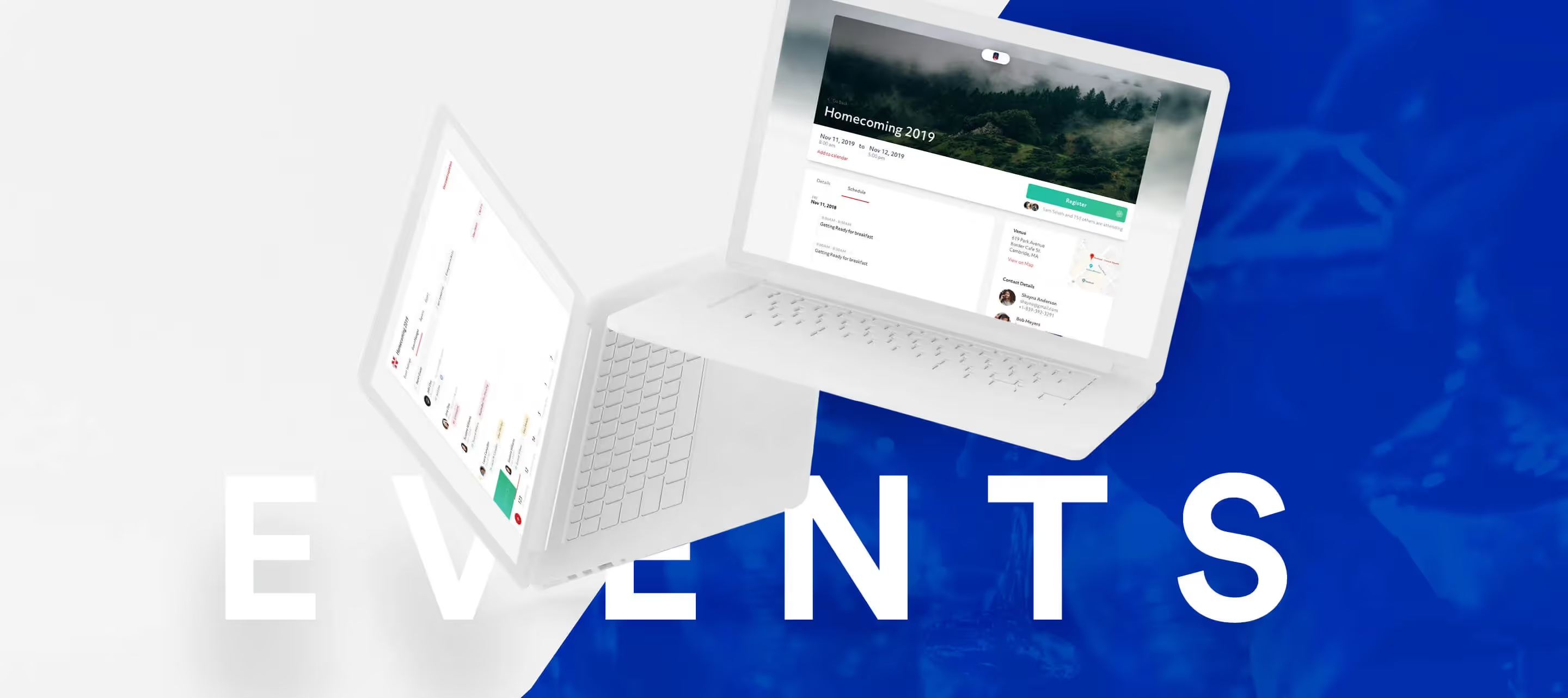
Events : Here's what's changing.
The Events module has been around on Almabase for a while now and has grown to be amongst the most utilized channels to engage constituents offline. While a whole lot has changed (we will be covering more in our support documentation), here's everything you need to know.
Lorem ipsum dolor sit amet, consectetur adipiscing elit. Suspendisse varius enim in eros elementum tristique. Duis cursus, mi quis viverra ornare, eros dolor interdum nulla, ut commodo diam libero vitae erat. Aenean faucibus nibh et justo cursus id rutrum lorem imperdiet. Nunc ut sem vitae risus tristique posuere.

.svg)

.avif)
.webp)