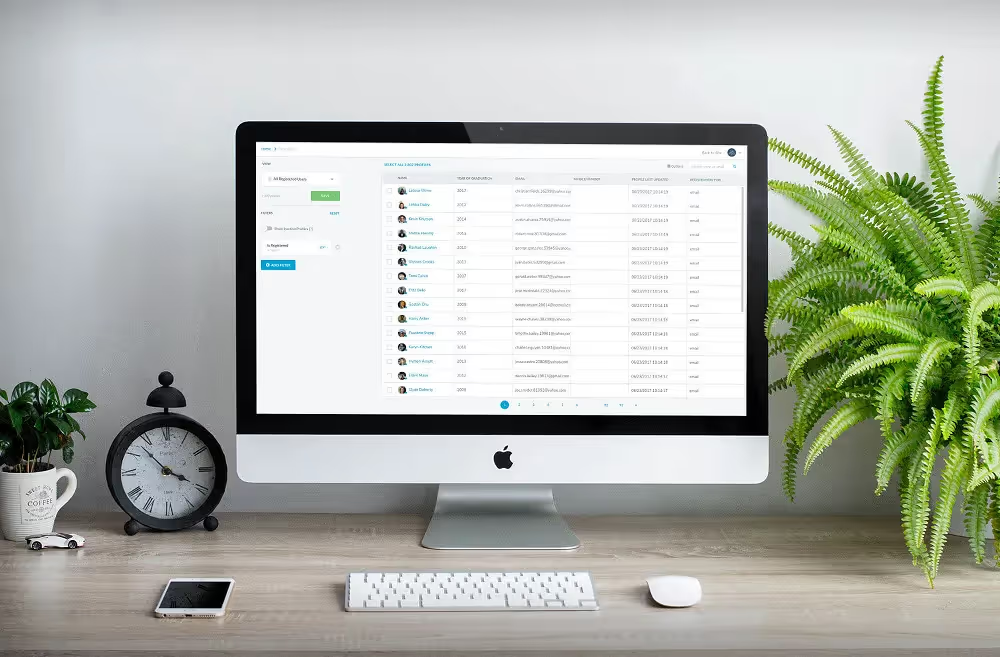
With an easy-to-use interface, Data Studio will serve to be your one stop place to identify, segment and taken actions on your constituents. It always presents you with the latest data that is actionable both on a single profile or in bulk.
Spreadsheets have come a long way to help manage alumni data. The sheer simplicity makes spreadsheets often preferred over some powerful enterprise grade CRMs even. But it's not without its cons. The data gets stale quickly and there is just too much manual work when you need to pull information from different sources and stitch it together.
We've seen this problem plague advancement and alumni relations offices everywhere. So we set out to build something a few months ago. Something that brings the complexity of an integrated end-to-end platform like Almabase to a simple spreadsheet like format. Something magical and we can't wait to show it to you. We call it 'Data Studio' (code-named Jarvis previously).
With an easy-to-use interface, Data Studio will serve to be your one stop place to identify, segment and taken actions on your constituents. It always presents you with the latest data that is actionable both on a single profile or in bulk.

Filters do a great job in finding the constituents that you need to focus on. They help you drill down from 45,323 records to the 52 alumni that you must give a call right away or send an email to. You can filter down to a group of alumni that live in San Francisco, or even something more complex like alumni from a reunion year who have attended previous reunion events. The possibilities are endless.

Once you have narrowed down to the right segment of people, head over to the 'Actions' section to:
1. Send them an email
2. Create a new mailing list
3. Export information into a spreadsheet
4. Update information
5. Update Membership

There is a lot more that you can explore on Data Studio like customizing the columns and saving the most frequently used filters as a View. But we will leave that up to you to explore :)
We've had a great time working with our partner schools on building Data Studio and we can't wait to learn all the ways you will be using this feature on Almabase. As we continue to build more functionality into Data Studio, do remember to leave your feedback and features you would like to see in upcoming releases.
If you would like to take a deeper look into how you can use Data Studio for your needs, contact your account manager today.
Subscribe
See how modern advancement teams bring alumni engagement and fundraising together.
Plan faster. Execute better
Explore free templates designed for alumni and fundraising teams.
.png)

.avif)
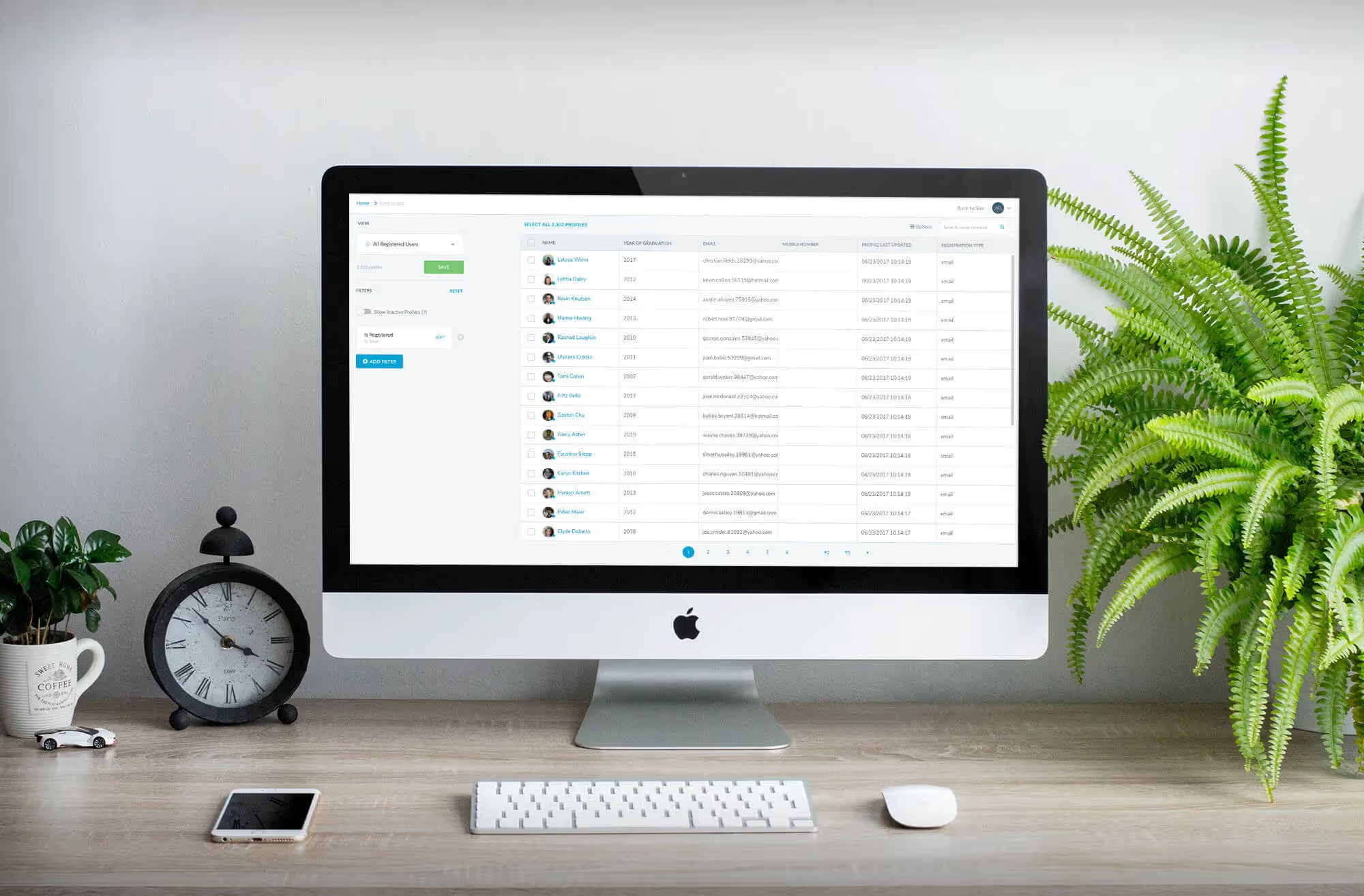
Since the launch of data studio in 2017, it has become one of the most used features on Almabase. It is the one-stop place for you as admins to work with your most up-to-date alumni data. It makes it incredibly simple for you to segment your alumni based on any data point that you have on them. You can even export this information, send them an email or perform other actions on the records.
But we received a lot of feedback from all of you, regarding a few functions that need to be improved. Taking your word into account, we made several key upgrades to the data studio.
Here are some of them :
Let’s say you’re organizing an event in Boston and want to invite everyone in the 50-mile radius to that event, how would you invite all of them? Earlier, you used to have to find all those cities and enter them manually into the city filter. Now you can start with a city or even a zip code and then choose a radius around it.

Data studio will then show you all the alumni that live in the area defined. You can then create an email group and you’re all set! As always, if another alum moves into the area, they are automatically added to that group. Look for the “AREA” filter on your data studio.
We’ve made it easier for you to take single click actions on various features of the platform. You will now be taken to the data studio with the appropriate data and actions pre-loaded for you to confirm. For instance, if you are on the directory and want to pull a list of everyone you’re currently seeing, you can now do that with a single click.


Birthdays are a great occasion for you to engage with your alumni and we’ve introduced a filter to make it easier for you to keep track of upcoming birthdays. Using the data studio birthday filter you can now see which alumni are celebrating birthdays today, this week or even this month.

Last but not the least, we’ve done a complete design refresh to make the data studio more user-friendly and also respond to user actions much faster. You will notice a visible difference in the speed while working on the data studio.

We hope you enjoy this new experience. Please do keep your feedback coming in as always.
Say Hello To Data Studio 2.0!
Lorem ipsum dolor sit amet, consectetur adipiscing elit. Suspendisse varius enim in eros elementum tristique. Duis cursus, mi quis viverra ornare, eros dolor interdum nulla, ut commodo diam libero vitae erat. Aenean faucibus nibh et justo cursus id rutrum lorem imperdiet. Nunc ut sem vitae risus tristique posuere.
The ability to sync alumni information from Facebook and LinkedIn has been a central piece of the Almabase product. We've seen this provide tremendous value for our partner schools over the last few years.
But, it had its challenges, and we heard your feedback. We noticed three key challenges:
1. The process is not transparent - you are not sure when the updates are happening
2. Alumni don’t have control on what gets synced on their profile. It lead to duplicate or wrong data in certain cases.
3. Facebook and LinkedIn APIs are changing and we had to move to newer APIs.
With all this feedback, we just launched the next version of social sync. It is more intuitive and provides much more control to users and uses the latest APIs.
You will now see a sync button on each profile that’s connected to their Facebook or LinkedIn. On clicking this button, we fetch latest data from those connected accounts and we ask the user which data they want to merge or ignore. Information that’s not ambiguous like a new employment is automatically added.

In the background, we also run a periodic sync of data from Facebook without any user hitting the sync button. This will help you maintain a current database of your alumni with zero manual effort.
We are constantly working to build innovative technology that helps you build an engaged alumni community. We would love to hear your thoughts on this.

Social Sync 2.0 - An updated alumni database, always!
Lorem ipsum dolor sit amet, consectetur adipiscing elit. Suspendisse varius enim in eros elementum tristique. Duis cursus, mi quis viverra ornare, eros dolor interdum nulla, ut commodo diam libero vitae erat. Aenean faucibus nibh et justo cursus id rutrum lorem imperdiet. Nunc ut sem vitae risus tristique posuere.
%201.svg)
%201.svg)
%204.svg)


.svg)