Beyond the hype, what does AI actually bring to the table for advancement and alumni facing teams? We're bringing you all things practical about AI with this blog

Summary
• Get started with AI by picking just one small, practical workflow to automate, like preparing for donor meetings or generating event recaps, to see real time savings firsthand.
• AI can really boost your alumni engagement by helping you spot career changes and draft personalized messages, ensuring you connect with alums at just the right moment.
• Free up your team's time for more meaningful donor conversations and strategic planning by letting AI handle repetitive tasks like gathering prospect research or creating post-event content.
• Don't worry about AI replacing the human touch; it's actually designed to give your gift officers more capacity to build genuine relationships instead of getting bogged down in administrative work.
• You don't need to be a tech wizard or have a big budget to use AI; many effective tools are affordable and user-friendly, debunking common myths about complexity and cost.
• Connecting AI tools to your CRM, like Almabase does, makes the insights even more powerful and context-aware, helping you know exactly who to reach out to and what next steps to take.
When the Almabase team spoke at CEAC about practical ways to use AI in advancement, the room felt mixed with curiosity and caution. Everyone had heard big promises about artificial intelligence before, and it was hard to tell what was real. But a few minutes into the session, something shifted.
There were no futuristic predictions or talk of machines replacing people. Instead, the focus was clear demonstrations of how AI can help with real work: making everyday tasks faster, cleaner, and easier.
By the end, people were not taking pictures of slides anymore. They were leaning forward, already thinking about what they could try first.
We wanted to revisit that moment and expand on it. This blog is for advancement and alumni relations professionals who want to see what AI can do right now in practical, human ways.
Advancement professionals live in two worlds. One is personal, where conversations, thank-yous, and connections matter most. The other is operational, filled with lists, reports, and follow-ups that never seem to end.
AI, when used smartly, can bring these two worlds together. It handles the mundane, repetitive work that keeps people from doing what truly matters i.e, connecting with donors, writing meaningful messages, and planning strategy.
Of course, this should not just be about speed for its own sake. It is about giving professionals time to think, plan, and act on ideas instead of constantly catching up to spreadsheets, deadlines, and data entry.
Some teams understandably hesitate to use AI because they believe it is either too shallow or technical, or perhaps too impersonal. The truth is somewhere in between and surprisingly simple
AI cannot listen, care, or read real human emotions. It only removes the repetitive tasks that stop officers from doing those very things.
When used right, it should actually strengthen it. Less admin work means more energy for conversations, thank-yous, and relationships.
If you can explain what you need in simple language, you can most likely use most AI tools effectively.
The most useful tools shown during the CEAC session cost less than a lunch for two.
During the CEAC session, the Almabase team showed live examples that anyone could build. Each one was based on a simple idea: use affordable tools, connect them intelligently, and always keep people in charge.
These workflows were not theory or promises. They were real systems that anyone could set up in a few hours.
Preparing for a donor meeting often means sorting through emails, spreadsheets, and profiles to find the right information. The Prospect Research Copilot makes that process easy.
It connects your calendar to tools like Zapier or N8N, which identify upcoming meetings. Then Clay updates donor profiles with the latest information, while ChatGPT or Perplexity writes a short briefing with key details.
Before your meeting starts, a clean summary lands in your inbox — complete with recent activity, giving history, and professional updates.
Meetings begin with confidence instead of guesswork, and officers spend their time building connections rather than chasing data.
Watch demo: Prospect Research Copilot
Every time an alumnus changes jobs, it opens a window for conversation. The hard part is knowing when it happens.
This workflow uses Clay to track alumni job changes through LinkedIn. When one occurs, Zapier triggers ChatGPT to draft a short, personal message. A staff member reviews it before sending.
This way, no updates go unnoticed. Each career move becomes a chance to reconnect and build goodwill.
Watch demo: Career Transition Alerts
Events take weeks to plan and only hours to run, but their value often ends too soon. The Event Recap Generator helps keep the momentum alive.
Upload your event recording to Descript to get a transcript. Send that text to ChatGPT to identify key quotes and themes. Then use Canva Magic Write to create branded visuals and posts for social media.
By the end of the day, your team has ready-to-share summaries, visuals, and emails. One event turns into several pieces of content that keep your community engaged.
Watch demo: Event Recap Generator
After CEAC, several schools started creating their own versions of these workflows. Here are four that have shown strong results.
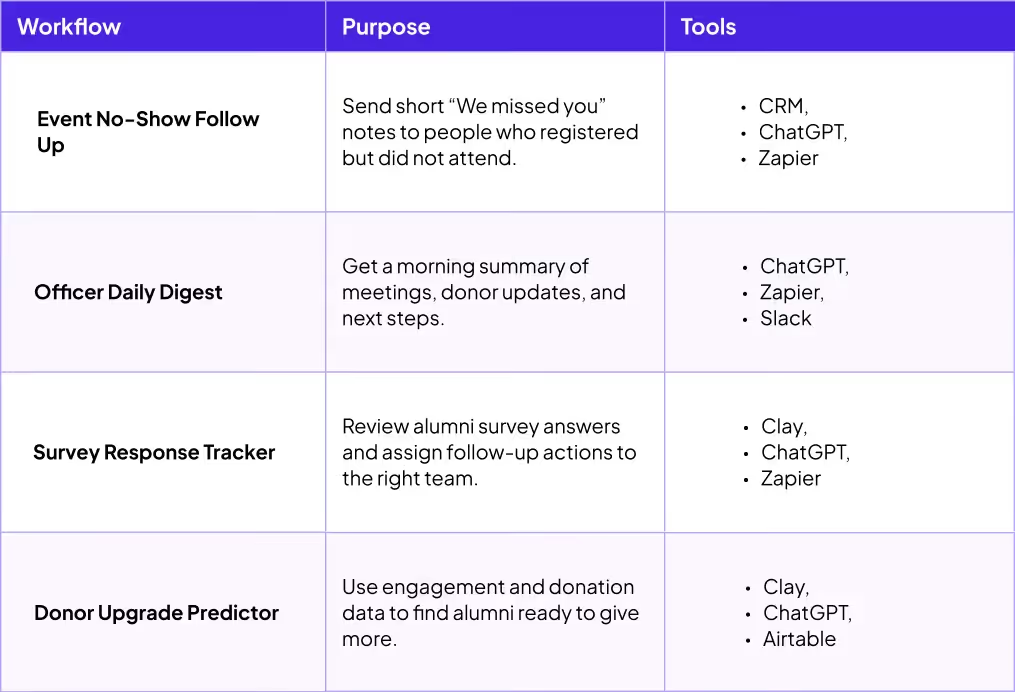
Each workflow starts small but creates a real difference in time and clarity.
To see automation in action, read RISD’s Almabase journey on how to turn efficiency into real-world results.
The easiest way to begin with AI is to pick one tool and try it. ChatGPT, Jasper, or Perplexity can already plan, summarize, and write faster than traditional methods.
The real power comes when these tools connect to your CRM. Once AI understands your data, it becomes context-aware and starts suggesting meaningful next steps — who to contact, which donors need attention, and which campaigns are performing best. This is where AI agents add real value — handling multiple steps autonomously, from pulling data to triggering follow-ups. Teams ready to go further can use an ai agent builder to create workflows tailored to their own advancement processes.
That is where Almabase creates real value. The platform gives AI the context it needs to make insights useful and human.
Visit the Almabase Platform Page to learn how these integrations work.
AI at Almabase keeps evolving, but one idea stays the same: make everyday work simpler while keeping humans in control.
Each new feature is designed to work quietly behind the scenes so your team can focus on meaningful work.
AI can multiply both good and bad habits. If your process is clear, it becomes a powerful helper. If it is sloppy, mistakes spread fast. Responsible use keeps your team’s quality and reputation strong.
These small habits decide how much people trust your institution and your message.
Pick one workflow that solves a real problem for your team. Build it, test it, and see what changes. If it saves time, share the results so other departments can learn from it. Innovation spreads best through examples and mutual learning.
The most effective teams usually start with something small and doable. Each success builds momentum for the next project, and if the past several years have proven anything, it is the importance of scalable improvements in advancement and alumni relations.
If you want to explore the CEAC workflows or see them in action, join the next Lunch and Learn or request a personalized demo, and our team will reach out with a quick demo.
AI is not some faraway idea. It is already here, ready to help teams work smarter. It will not make thank-you calls or write heartfelt notes. It will not remember a donor’s favorite story about their college days. But it will give you the time and space to do those things better.
The next chapter of advancement will not be about machines replacing people. It will be about balance and technology handling the busywork so humans can focus on connection.
That is what Almabase continues to build toward. AI that works quietly in the background while people do what only humans can do best, which is to build relationships that last.
Subscribe
See how modern advancement teams bring alumni engagement and fundraising together.
Plan faster. Execute better
Explore free templates designed for alumni and fundraising teams.
.png)

.avif)
With the dust settling from Anthology’s major corporate restructuring, your team might find themselves faced with the opportunity to re-evaluate what’s working and what isn’t. This is especially true if events sit at the absolute center of how you engage alumni and drive giving.
In this blog, we’ll walk through the top alternatives for your team with events in mind, what to look for in a modern system, and what a smooth transition away from Encompass (iModules) looked like in practice. Let’s dive in.
While most platforms will look similar on paper, you can look at how their features come together, especially around events.
Here's what to evaluate:
The CRM is where data comes together, and when someone registers for an event, makes a gift, or updates their information, you don't want that data sitting in a spreadsheet waiting to be imported later. With Encompass (iModules), event data reaches your CRM through manual exports or scheduled batch syncs, which means your team could be looking at outdated information. During a giving day, reunion, or fundraising gala, that delay can make it much harder to understand what's happening in real time and respond while engagement is at its peak. Your data should feed into your CRM in real time, giving your team an ideal, reliable view of what’s happening in your event.
TrueSync keeps Blackbaud Raiser’s Edge NXT and Almabase in sync in real time, so gift and event data never sits in a queue waiting for a manual export.
Because Encompass (iModules) was built on a legacy architecture, its event features can feel disconnected from the rest of the platform. In practice, that often means advancement teams have to step outside the system to handle things like ticketing, check-ins, or attendee management. Instead of running everything in one place, staff end up juggling multiple tools, switching between them during busy events, and piecing together attendee data afterwards. Your event platform should support the entire event lifecycle in one place, so your team spends less time wrestling with the technology and more time creating great alumni experiences.
Planning a multi-day event like Homecoming or Reunion Weekend with Encompass (iModules) can become more complicated than it needs to be.
Things like creating individual sessions, setting capacity limits, or building different itineraries for guests often require manual workarounds because the registration forms aren't flexible enough to handle them easily.
Ideally, you should be able to build a single master event and organize sessions, tracks, and attendee schedules underneath it with just a few clicks.
Making a quick text edit, updating a logo, or adding a last-minute question to an Encompass (iModules) page can mean waiting on IT or burning a customer support ticket. Advancement teams rarely have dedicated web developers. The coordinators who run your campaigns should be able to create, brand, and modify pages confidently on their own, ideally with minimal to no coding required.
Before we get into the details, here’s a summary of the top 5 Encompass (iModules) alternatives and all they have to offer:
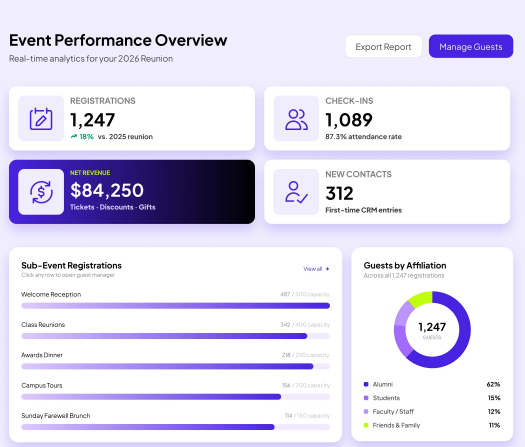
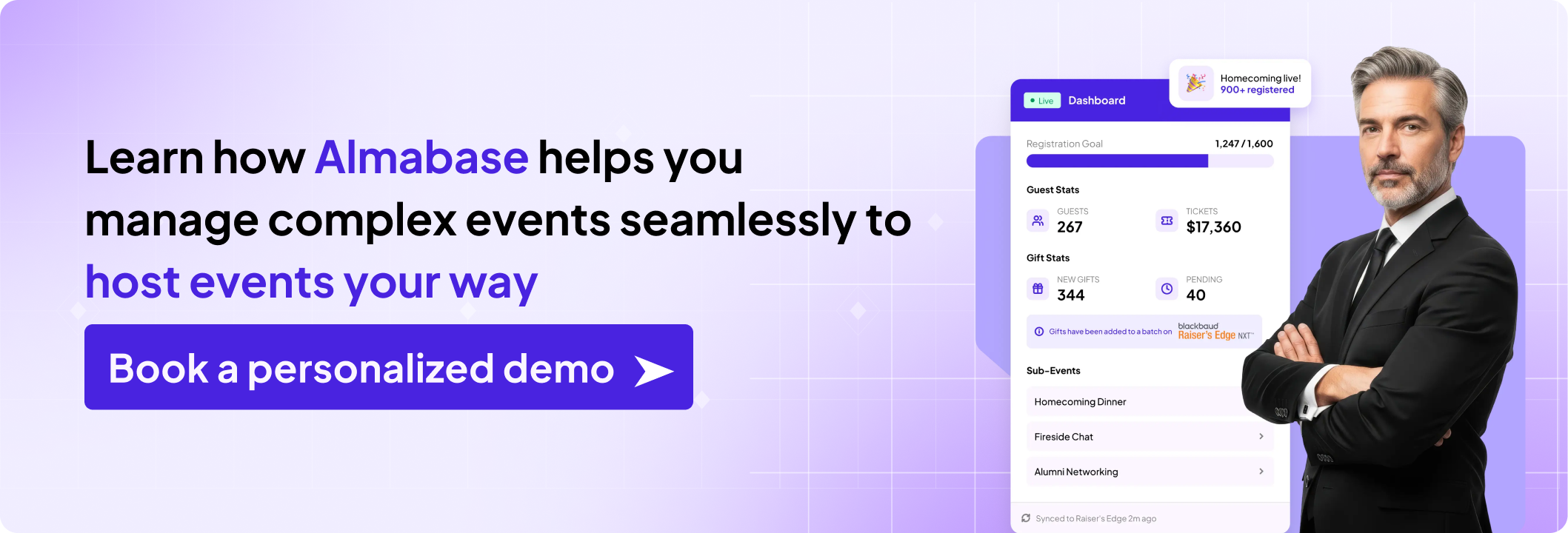
Almabase is a good fit if your team runs events year-round. Instead of piecing together separate tools for registration, ticketing, communications, and CRM updates, everything lives in one place. Event attendance and constituent information sync automatically with Raiser's Edge NXT, while giving data flows over in clean, organized batches. That means your team always has an up-to-date view of who's registering, attending, and giving, without spending hours cleaning up spreadsheets after every event.
Key strengths:
After nearly a decade on iModules, the team at New England College found themselves spending more time managing technology than engaging alumni. Everyday tasks involved manual data entry, spreadsheet clean-up, and workflows that felt far more complicated than they needed to be.
Switching to Almabase gave them a much simpler way to work. Anna Twombly, Director of Annual Giving and Alumni Relations, said the migration was far smoother than expected, and her team quickly became self-sufficient. They could launch giving days, manage event registrations, and update pages themselves instead of waiting on technical support. For a lean advancement team, that meant less time wrestling with software and more time focused on building meaningful relationships with alumni. Check out the full conversation below! 👇
What it's not great at: Almabase does not include prospect research or wealth screening tools. If complex management for major gifts research is a priority, you'd need to layer in a separate platform.
Pricing: Custom pricing based on institution size and needs.
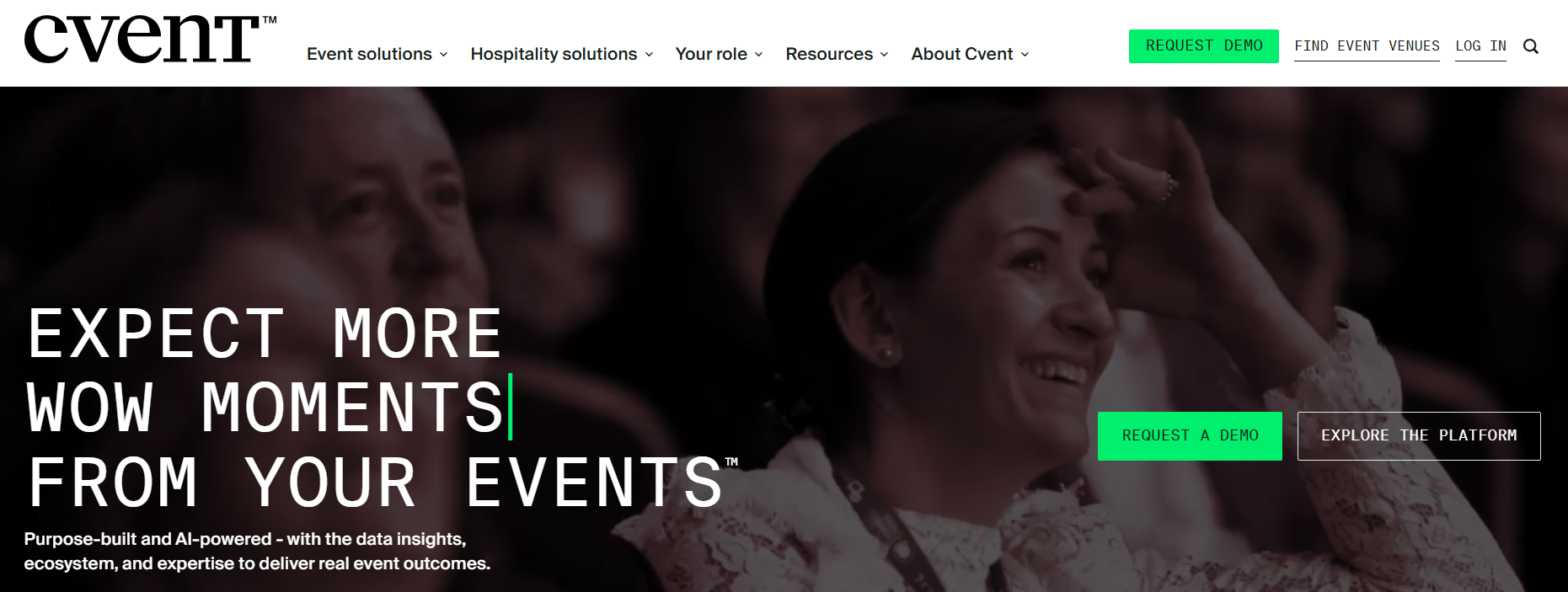
Cvent is one of the most well-known event management platforms on the market. If your institution is coordinating admissions fairs, conferences, athletic events, and campus-wide programmes from one central system, Cvent makes a lot of sense.
Key strengths:
What it's not great at: Cvent is designed as a general event management platform, and not specifically for advancement. That means alumni engagement features like community directories, mentorship programmes, giving pages, and donor-focused workflows aren't part of the core experience.
Universities looking for a single platform to manage large, institution-wide event programmes across multiple departments will find Cvents to be a natural fit.
If your advancement office mainly runs reunions, regional events, giving days, and alumni programming, you may find Cvent more complex than you need.
Pricing: Custom quote, with the median at $19,500 a year.
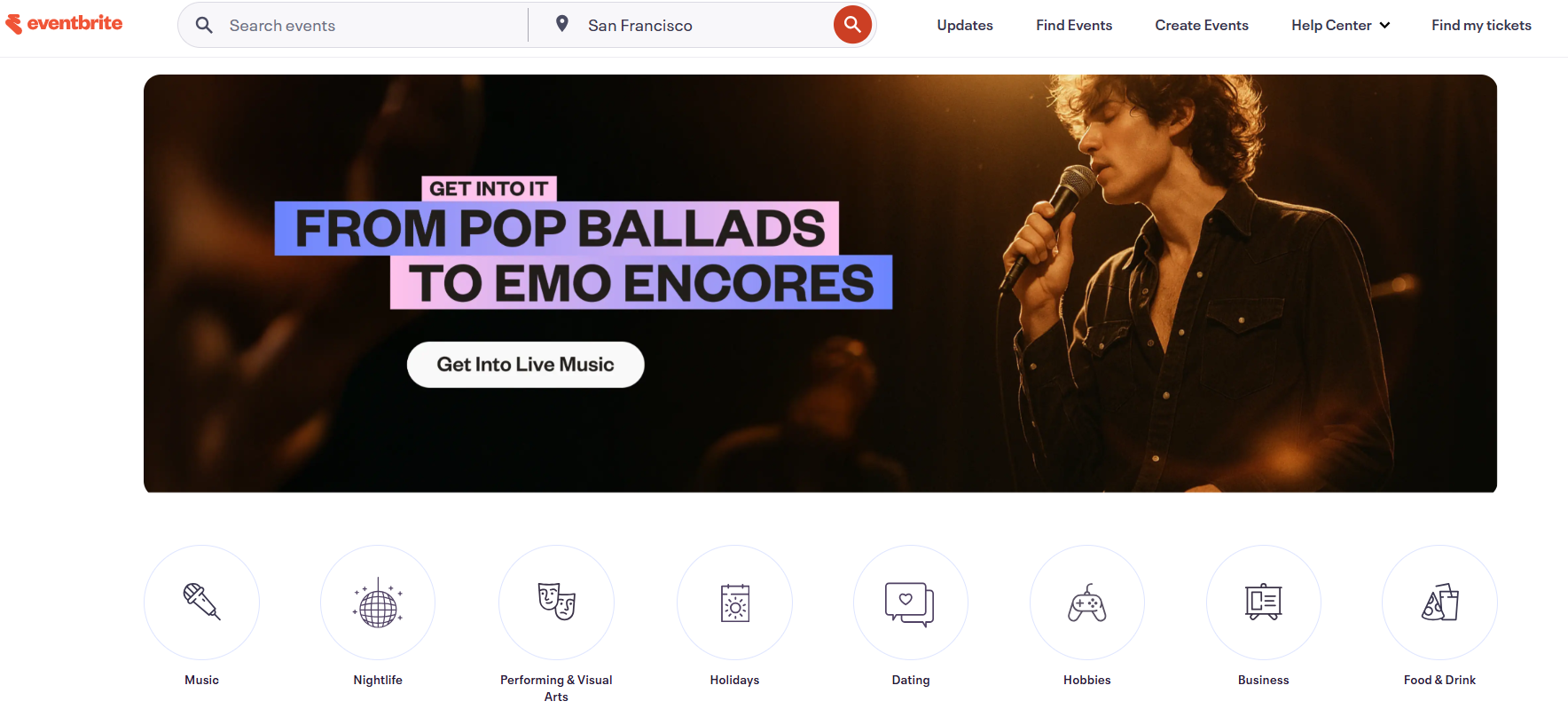
Eventbrite is one of the easiest ways to publish and sell tickets for an event. It's familiar, simple to use, and great for taking a registration page live quickly. If you're hosting an event where ticket sales are the priority, it's hard to beat for convenience.
Key strengths:
What it's not great at: Eventbrite was built for event ticketing, not advancement. It doesn't recognize alumni or donor records or support fundraising workflows like pledges and auctions. Because it doesn't natively sync with advancement CRMs, your team will likely end up exporting attendee lists and matching records manually after every event.
Smaller advancement teams or alumni clubs running simple, standalone events where collecting registrations is more important than tracking long-term constituent engagement will find this to be a good fit.
Pricing: Free for free events. For paid events, Eventbrite charges per-ticket fees. Verified nonprofits can receive discounts on some marketing plans, but those discounts don't apply to ticketing fees.
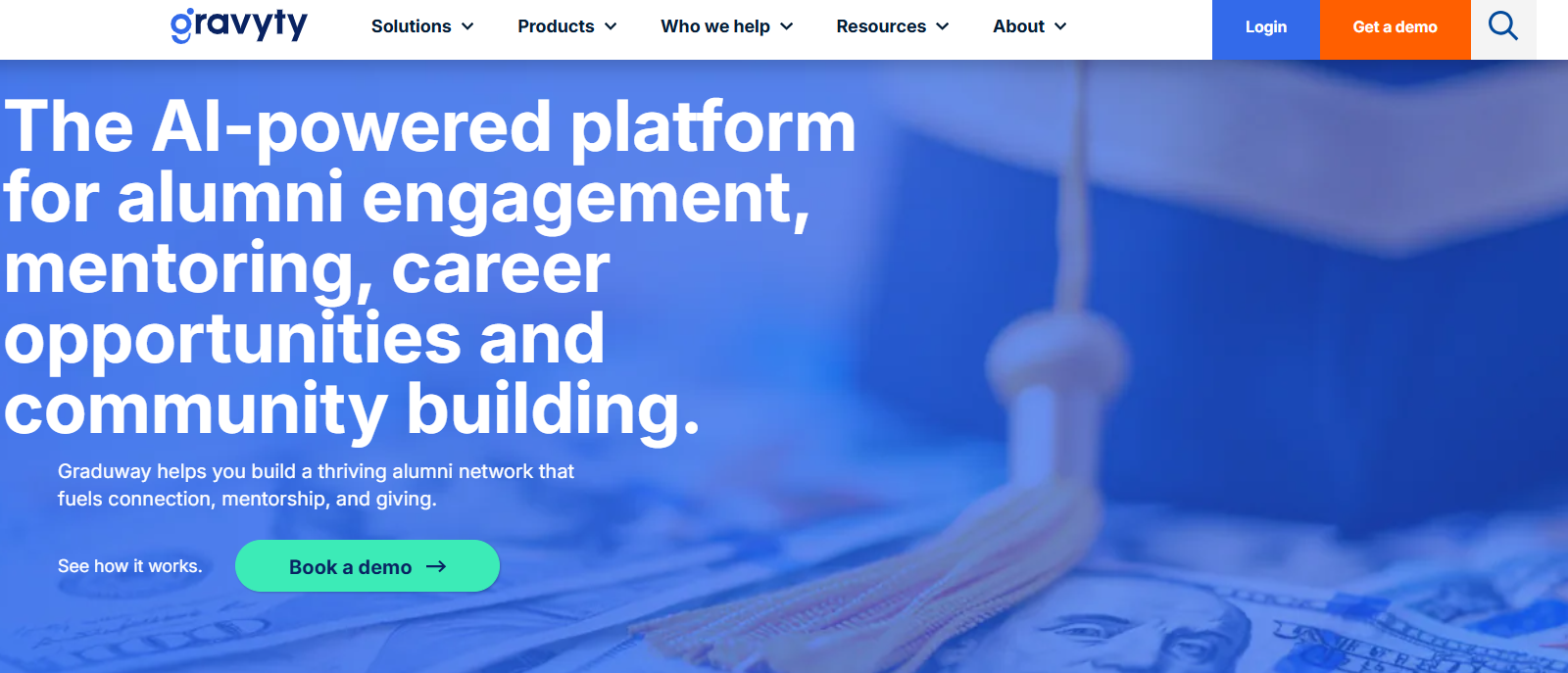
Gravyty takes a different approach: instead of offering one place to manage everything, it brings together a suite of products focused on fundraising, donor engagement, alumni networking, and AI-assisted outreach. If your biggest priority is growing digital giving and helping gift officers work more efficiently, it's a compelling option.
Key strengths:
What it's not great at: Gravyty isn't designed as a single, unified event management platform. Basic event registrations are available through Graduway, but the event functionality is relatively lightweight. Data also syncs back to CRMs like Blackbaud or Salesforce through scheduled updates rather than continuously in real time.
This option would be good for advancement teams that prioritize digital fundraising, AI-assisted major gift work, and donor stewardship over complex event management, and are comfortable working across multiple products instead of one integrated platform.
Pricing: Custom pricing based on your institution's size and requirements.
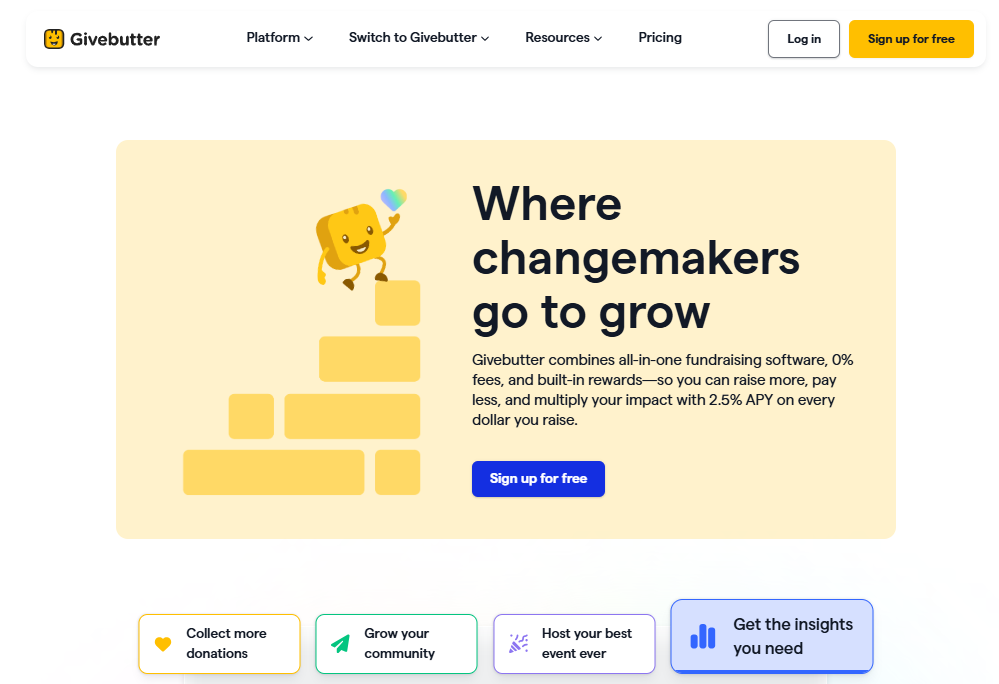
Givebutter is a highly popular, modern fundraising platform that bundles peer-to-peer campaigns, event ticketing, and auction tools into an incredibly user-friendly dashboard.
Key Strengths:
What it's not great at:
It is not built for higher education. It lacks alumni portals, directories, or mentorship matching. More importantly, it features no native, two-way advancement CRM integrations (like a direct Raiser’s Edge NXT sync). Because it is designed for simple, single-form events, running complex university milestone schedules like a multi-day Homecoming or Reunion Weekend will quickly outgrow its functional limits.
Givebutter is a great fit for individual campus departments, student organizations, or smaller advancement shops running straightforward, standalone peer-to-peer campaigns and auctions on a tight budget.
Pricing: Core tools are free if donor tips are left on. Disabling tips triggers a flat 3% platform fee (plus standard credit card processing). Upgrading to Givebutter Plus for advanced automations uses contact-based pricing, starting at $29/month for under 250 contacts and scaling upward as your alumni list grows.
Many university advancement teams already rely on Blackbaud Raiser's Edge NXT to manage donor relationships and fundraising. It's excellent at tracking constituent history, gifts, and engagement over time, but it isn't designed to run events on its own.
Things like event registration, attendee management, and on-site check-ins require a dedicated event platform. If you want that event data to flow into RE NXT without manual imports, you'll need a platform with a purpose-built integration, such as Almabase's TrueSync or Cvent's connector. For institutions already invested in the Blackbaud ecosystem, it's often the easiest way to modernise event management while keeping the same CRM at the centre of operations.
Ellucian is designed for institutions that want advancement data closely connected to the rest of the university ecosystem, from student records to finance and ERP systems. It serves as a powerful back-end system for managing constituent and fundraising data, but it isn't built to power the day-to-day event experience.
Features like branded registration pages, flexible event forms, and on-site check-in usually require a separate event platform. As a result, many advancement teams use Ellucian alongside a dedicated events solution that handles the public-facing side of registrations while keeping the underlying data connected.
Salesforce is flexible and works well as the central CRM for institutions with complex data needs. Institutions piece it together using offerings like Salesforce Education Cloud and Salesforce Nonprofit Cloud, depending on whether the priority is student lifecycle data or donor and fundraising management.
But when it comes to running events, its native capabilities are fairly limited. Most teams rely on dedicated event platforms like Almabase or Cvent to handle registrations, event websites, and attendee management. Those integrations then feed event data back into Salesforce, allowing institutions to keep the CRM as their single source of truth without asking it to do everything on its own.
Whichever CRM you use to hold your donor data, the event layer you place on top of it is what determines how much overhead your team can expect in terms of data reconciliation.
At the end of the day, it is up to you and your team’s unique needs that will determine your platform of choice for 2026 and beyond. But we hope we’ve been able to give you a good starting point to find the right fit for you.
If you’d like to learn more about Almabase and how we help institutions and organizations for advancement needs, feel free to book a personalized demo call with us below! ⬇️
Almabase provides dedicated personnel for your onboarding and training as you or your team gets used to Almabase. We also provide readily available live chat, email, and on-call support in case you run into any hiccups.
Almabase also supports K-12 schools and healthcare foundations managing donor and alumni communities.
Almabase comes with its own set of reporting and analytics tools for giving, engagement, and donor pipeline data.
Yes. Almabase supports multi-day and multi-session events natively, including separate registration and check-in for each session under one parent event, so reunions, homecoming weekends, and multi-track galas don't require a spreadsheet workaround or a second tool.

Best iModules Alternatives for Events-Forward Advancement Teams (2026)
Lorem ipsum dolor sit amet, consectetur adipiscing elit. Suspendisse varius enim in eros elementum tristique. Duis cursus, mi quis viverra ornare, eros dolor interdum nulla, ut commodo diam libero vitae erat. Aenean faucibus nibh et justo cursus id rutrum lorem imperdiet. Nunc ut sem vitae risus tristique posuere.
Almabase
November 21, 2025
12 minutes
You’ve got a giving campaign to run.
An event to promote.
A reminder to send.
And of course, the email isn’t going to write itself.
Until now.
We’re excited to introduce Emily AI, an intelligent assistant built right into your Almabase Email Center. Emily helps you create professional, context-aware emails using just a few prompts. From idea to first draft, the process takes seconds, not hours.
Just tell Emily what you want to say. She’ll take care of the rest.
Subject line, body, tone, even the inertia that usually holds things up.
Whether you’re inviting alumni to an event, thanking donors, or sending a save-the-date for your reunion, Emily AI helps you get the message out clearly and quickly.
Advancement teams today are juggling faster turnarounds, higher expectations for personalization, and less time to get it all done. The message still matters, but now it has to compete with everything else on your plate.
That’s where prompt-based tools like Emily AI come in.
They don’t replace your voice. They help you get the message out while it still matters.
Just type in a prompt like:
“Invite alumni to our 25th-year reunion in a warm, cheerful tone.”
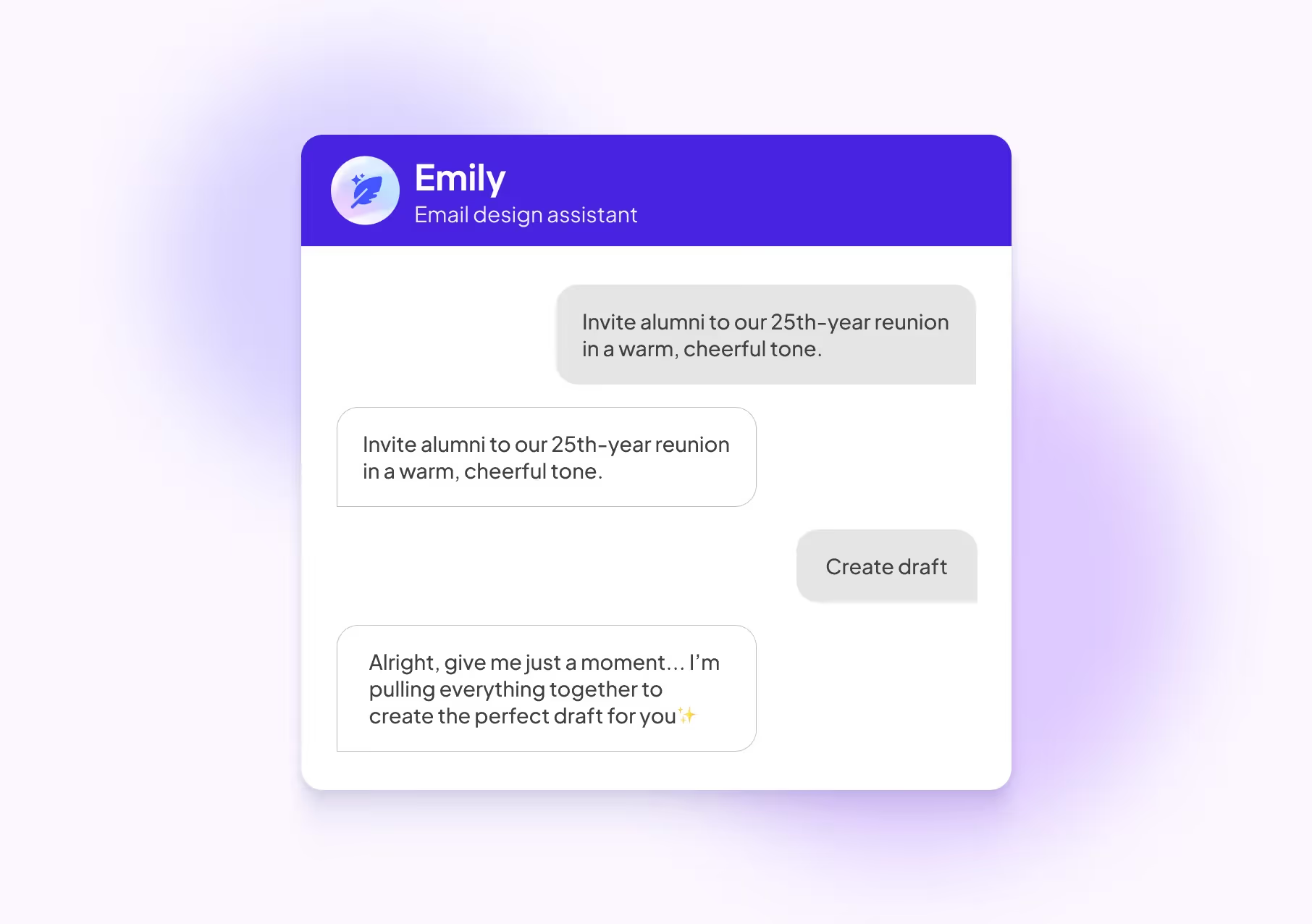
Emily instantly drafts a full email based on your prompt, no blank screen, no second-guessing.
You can:
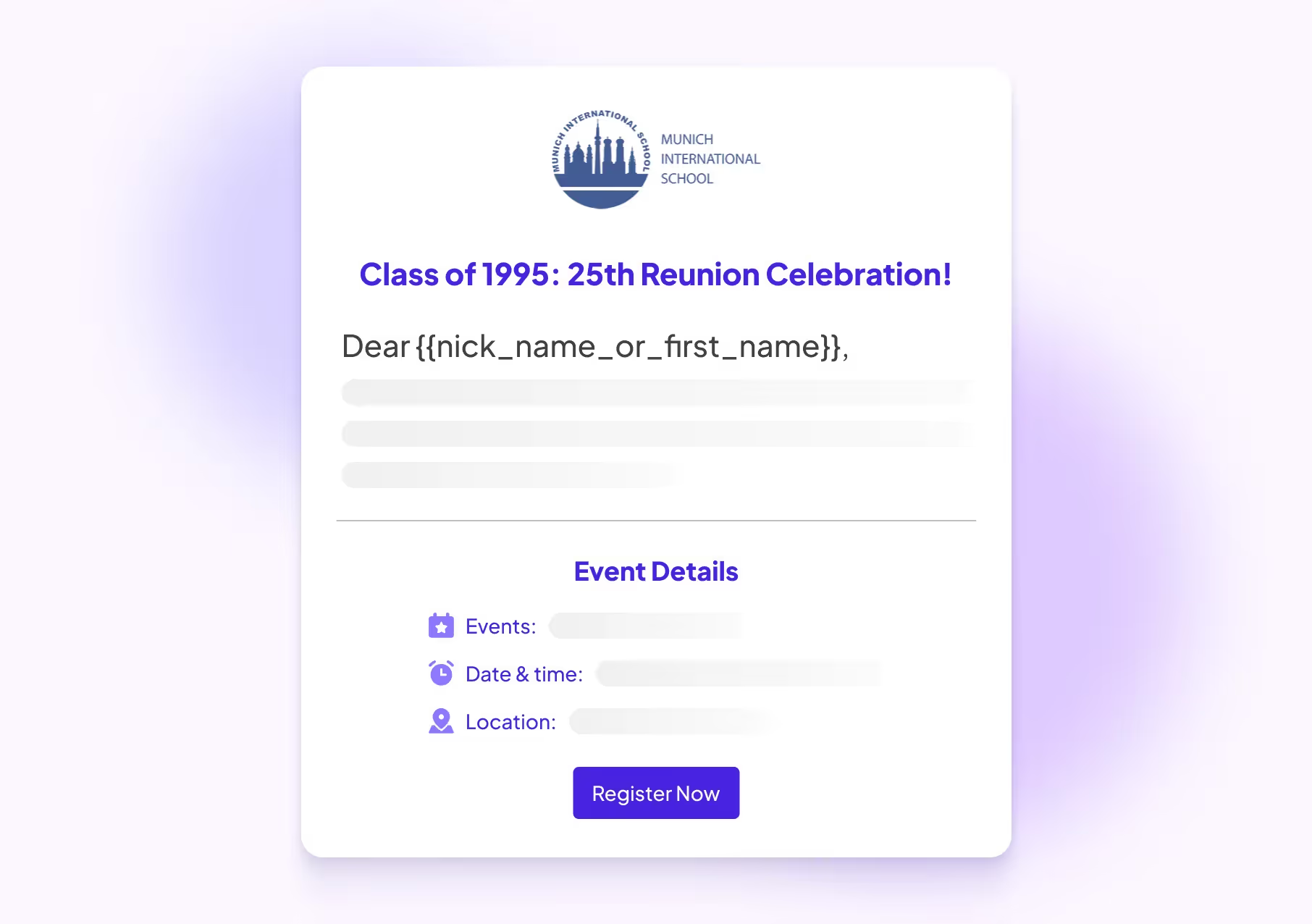
Emily lives right inside the Email Communication Center. No switching tabs. No extra tools. No friction.
Let’s be honest. Writing the email is often the one thing that gets pushed to the end of the day.
Not because it’s unimportant. But because it takes energy. The blank page. The pressure to sound just right.
And before you know it, that event reminder or donor follow-up is still sitting in drafts.
And yet, it’s one of the most important ways you drive attendance, engagement, and giving.
That’s where Emily AI helps.
Especially for lean advancement teams juggling multiple priorities, Emily AI is a quiet unlock for speed, quality, and consistency, and it offers more than convenience; it offers momentum.
Emily AI is only the start of what’s coming.
We’re building a set of AI-powered tools to help you do more, with less stress and more control. Think better messaging, faster execution, and more room to focus on building real alumni relationships.
Emily is live for all Almabase users.
➡️ Log in to Almabase
➡️ Head to the Email Center
➡️ Click “Let Emily help” and give her a prompt
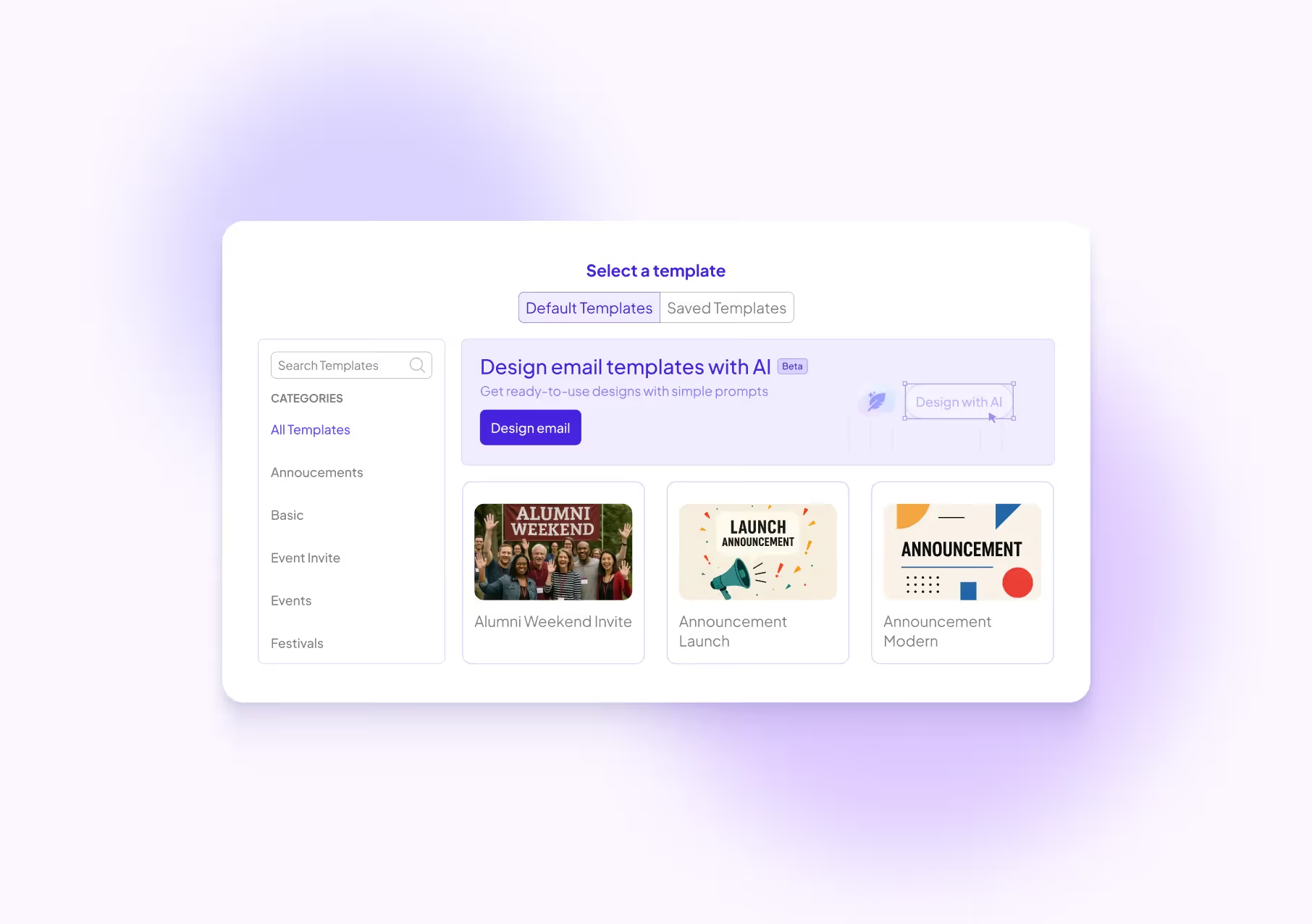
Let us know what she writes for you! We’re excited to see the creativity she helps unlock.

Fast, Smart, and Context-Aware Emails for Advancement Teams: Powered by Emily AI
Lorem ipsum dolor sit amet, consectetur adipiscing elit. Suspendisse varius enim in eros elementum tristique. Duis cursus, mi quis viverra ornare, eros dolor interdum nulla, ut commodo diam libero vitae erat. Aenean faucibus nibh et justo cursus id rutrum lorem imperdiet. Nunc ut sem vitae risus tristique posuere.
In the ever-evolving landscape of higher education advancement, the role of technology is more critical than ever. If you’re an advancement professional, you likely rely on various software solutions to manage your database, organize events, raise funds, and engage with your community. It’s a given that having the right technology in place can streamline your day-to-day operations, enhance your effectiveness, and improve constituent engagement and fundraising outcomes.
However, many institutions find themselves grappling with tools that, rather than simplifying processes, introduce complexities that consume valuable time and resources. The irony is palpable: while we invest in technology to solve problems, we often end up spending more time troubleshooting and managing these tools than actually leveraging them to achieve our goals.
This raises a crucial question: Are your current tools truly helping you, or are they slowing you down?
1. Excessive Manual Work: If your team spends significant time on tasks that could be automated - such as updating contact information, processing donations, or compiling reports manually - it may indicate a need for more efficient systems.
2. Fragmented Data: When information is scattered across multiple platforms, it can lead to inconsistencies and a lack of a unified view of your constituents' engagement.
3. Limited Personalization: In an era where personalized experiences are expected, just a "Hi {FirstName}" may no longer suffice. Modern constituents often expect more tailored interactions.
4. Missed Engagement Signals: Outdated systems may fail to capture important signals like website visits, social media interactions, and event participation - valuable indicators of constituent interest and potential donor behavior.
5. Staff Frustration: If your team spends more time troubleshooting technology than focusing on core tasks, it can lead to reduced productivity and morale.
• Seamless data integration across systems
• Advanced personalization capabilities
• Automated tracking of engagement metrics
• AI-powered predictive analytics for donor identification
• User-friendly interfaces that free up staff time for strategic tasks
While the prospect of upgrading technology can seem daunting, the long-term benefits often outweigh the short-term challenges of implementation. Institutions that embrace modern engagement tools frequently report improved efficiency, enhanced constituent relationships, and better fundraising outcomes.
To explore this topic in greater depth, we've prepared a comprehensive ebook: "Hidden Costs of Sticking with Outdated Technology." Here’s what you can takeaway:
.avif)

Are Your Engagement Tools Slowing You Down?
Lorem ipsum dolor sit amet, consectetur adipiscing elit. Suspendisse varius enim in eros elementum tristique. Duis cursus, mi quis viverra ornare, eros dolor interdum nulla, ut commodo diam libero vitae erat. Aenean faucibus nibh et justo cursus id rutrum lorem imperdiet. Nunc ut sem vitae risus tristique posuere.
%201.svg)
%201.svg)
%204.svg)



.svg)