Boost donor engagement and fundraising with text messaging. Learn strategies and best practices for advancement teams and nonprofits.
Summary
• To maximize engagement and fundraising, make every text message meaningful by personalizing it with donor names, relevant causes, or past giving history. This direct approach helps your message stand out and resonates more deeply with your community.
• Text messaging boasts incredibly high open rates compared to email, making it an excellent channel to cut through the noise and significantly boost donor participation in your campaigns. It provides a personal and immediate connection with alumni and donors.
• Use texts strategically for quick, impactful updates that don't warrant a full email, like event reminders, urgent fundraising goal updates, or celebrating campaign milestones. This keeps donors informed and feeling connected to your progress.
• Beyond one-way broadcasts, embrace two-way communication by inviting questions, feedback, or quick RSVPs via text. This fosters stronger alumni engagement and makes your community feel more involved.
• Always integrate text messaging thoughtfully into your broader advancement strategy, ensuring each message offers real value and respects the recipient's time. This builds lasting relationships and avoids disengagement, improving overall donor stewardship.
Text messaging has become an underrated channel for teams to connect with alumni and donors. With stacked mailboxes and email open rates proving a tricky problem, SMS provides a direct, personal alternative line to your community. But how do you use text messages strategically to maximize engagement and drive fundraising results?
In this blog, we’ll explain why text messaging works for donor engagement, offer best practices for using SMS in advancement and fundraising campaigns, and share actionable tips for integrating text into your advancement strategy.
Text messaging stands out for several reasons.
As alumni and donor management software evolve, features such as built-in compliance and text channel analytics are also making the channel easier to use than ever before.

Effective SMS fundraising goes far beyond sending a generic message blast. Advancement professionals should use text strategically to create meaningful engagement, inspire action, and foster ongoing relationships. Here’s how:
Every text you send should offer real value to the donor. Avoid sending generic updates or broadcasts that could be mistaken for spam. Segment your potential recipients and personalize your messages to deepen the relationship and provide value through your texting channel
While it’s tempting to use texts only for quick updates, they can be powerful tools for fundraising appeals when used with care and purpose. Craft concise asks that are donor-focused, and always include a clear, simple way to act.
“Anna, we’re $1,000 away from our goal! Will you help us reach it? Donate here [shortened link]”
Share real-time updates about fundraising events, upcoming initiatives, or important milestones. Donors want to feel included and informed.
“Reminder! Tonight is our virtual gala at 7pm. Join us live here [link]. Your ticket helps local students thrive!”
Text messages act as the perfect channel for reminders or urgent calls to action that don’t warrant a full email. Overflow content, last-minute changes, or quick nudges can keep participation high. A good example would be countdown texts and goal updates.
Donors care about progress and outcomes as they prove they are making a real impact. Use text messaging to broadcast campaign milestones, share tally updates, or announce when fundraising targets are reached.
“We did it! With your help, we raised $50,000 for new library books. Thank you for your incredible support!”
Personal gratitude goes a long way. Automatic or manual thank you texts delivered within minutes of a donation build loyalty and trust.
Text messaging doesn’t have to be a one-way channel. Encourage engagement by inviting questions or feedback. Two-way texting can streamline event RSVPs, volunteer signups, and more. Do keep in mind that this will require implementing the appropriate workflows. However, it can make your text channels truly valuable
Segment your contact lists by donor type, giving history, or area of interest to tailor messaging.
Texting works best as part of a broader, thoughtful communication strategy, not as a novelty or “cool factor” add-on. Poorly thought-out texts can lead to opt-outs or disengagement.
For example, avoid sending reminders that are better suited to email or phone calls, or repeated requests.
Text messages are a high-impact tool for advancement and fundraising, but its effectiveness depends on thoughtful strategy, personalization, and robust integration. As it has always been, the future of donor engagement belongs to those who meet their audience where they are, on their terms, with messages that truly resonate— and texting is one step forward in that direction.
For advancement and fundraising professionals seeking to modernize their engagement, integrating robust text messaging is essential. Platforms like Almabase’s integrated SMS tool deliver:
Want to see how integrated text messaging can amplify your institution's fundraising and engagement efforts? Check out what we bring to the table by getting in touch with us! 🔽

Subscribe
See how modern advancement teams bring alumni engagement and fundraising together.
Plan faster. Execute better
Explore free templates designed for alumni and fundraising teams.
.png)

.avif)
Over the past few years, it’s become clear—text messaging isn’t just for friends and family anymore. It's now a powerful communication channel for institutions that want to cut through the noise and connect with their communities in a way that’s timely, personal, and effective.
When every inbox is overflowing and attention spans are shrinking, SMS stands out. Text messaging drives 5 times more responses than emails, making it one of the most effective ways to spark action—whether it’s registering for an event, completing a donation, or simply staying in the loop.
So when our partner institutions told us that emails weren’t always getting the job done, especially for time-sensitive campaigns and updates, we listened.
“We need a faster way to get people to act.”
“Our email open rates are dropping.”
“We’re using a third-party text tool, but it’s disconnected from our data.”
The real problem wasn’t just about sending messages. It was about:
• Reaching the right people at the right time
• Avoiding fragmented tools that don’t talk to each other
• Staying compliant while collecting and managing consent
We set out to build a solution that would be powerful and seamless. A tool that lived inside your existing Almabase workflows, not outside them.
We’re thrilled to share that text messaging is now live on Almabase.
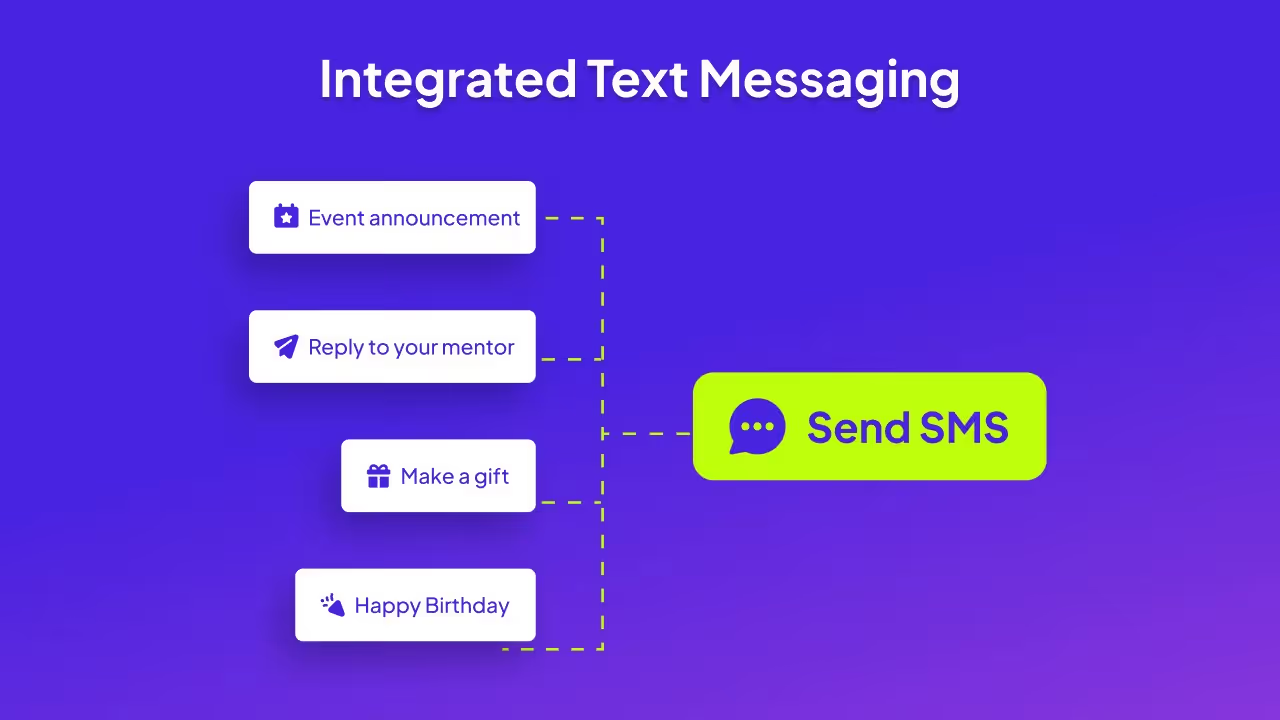
Whether you're organizing an event, running a giving campaign, or sending out general community updates, you can now do it all via SMS, directly from Almabase.
This feature is designed to fit naturally into the way you already work, while giving you the speed and reach of text-based communication.
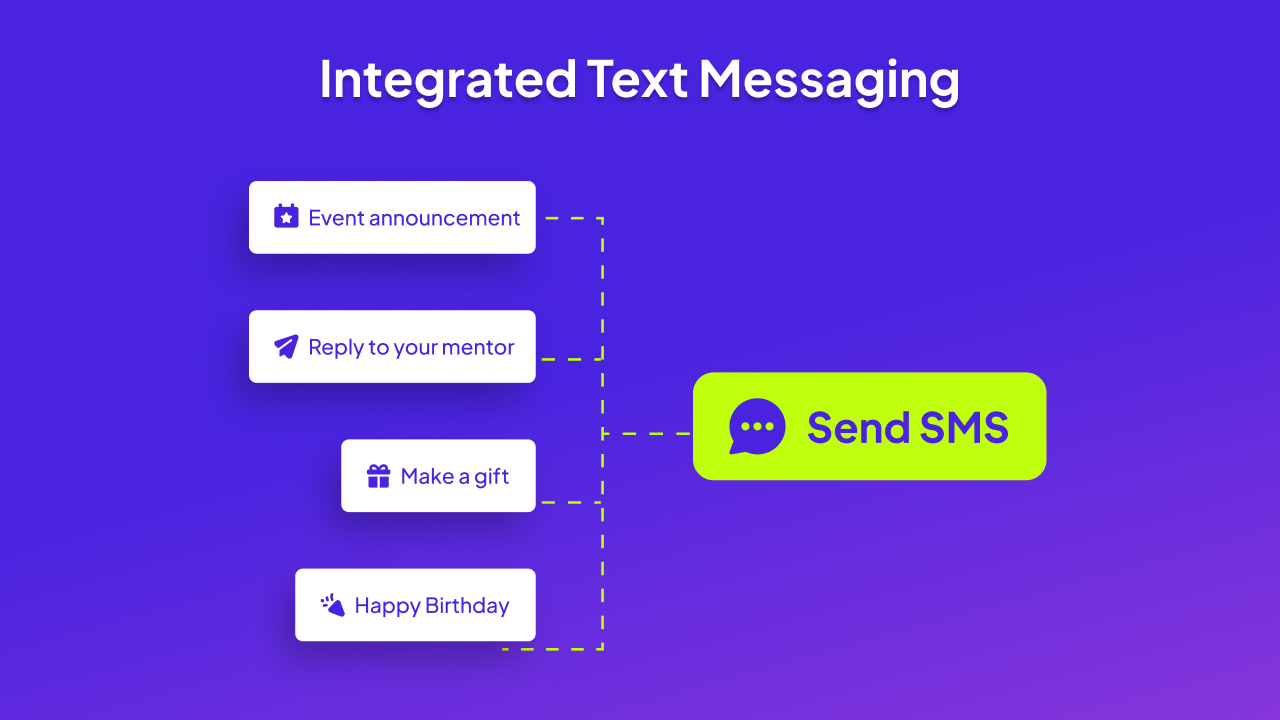
Whether you're running a campaign, planning an event, or sharing general updates, text messaging on Almabase fits right into the way you already work:
Text messaging is even more powerful for events because it's built right into the event workflows. You don’t need to go to Data Studio—just access it directly from your event or sub-event page. Send registration reminders, confirm payments, or share last-minute updates like venue changes. You can also follow up after the event with thank-you messages or photo links.
Send donation appeals, nudge incomplete donations, or thank donors instantly with personalized texts that feel thoughtful and timely.
Share program updates, alumni news, or important reminders with your community quickly and effectively.
Here’s how Almabase text messaging helps you engage smarter:
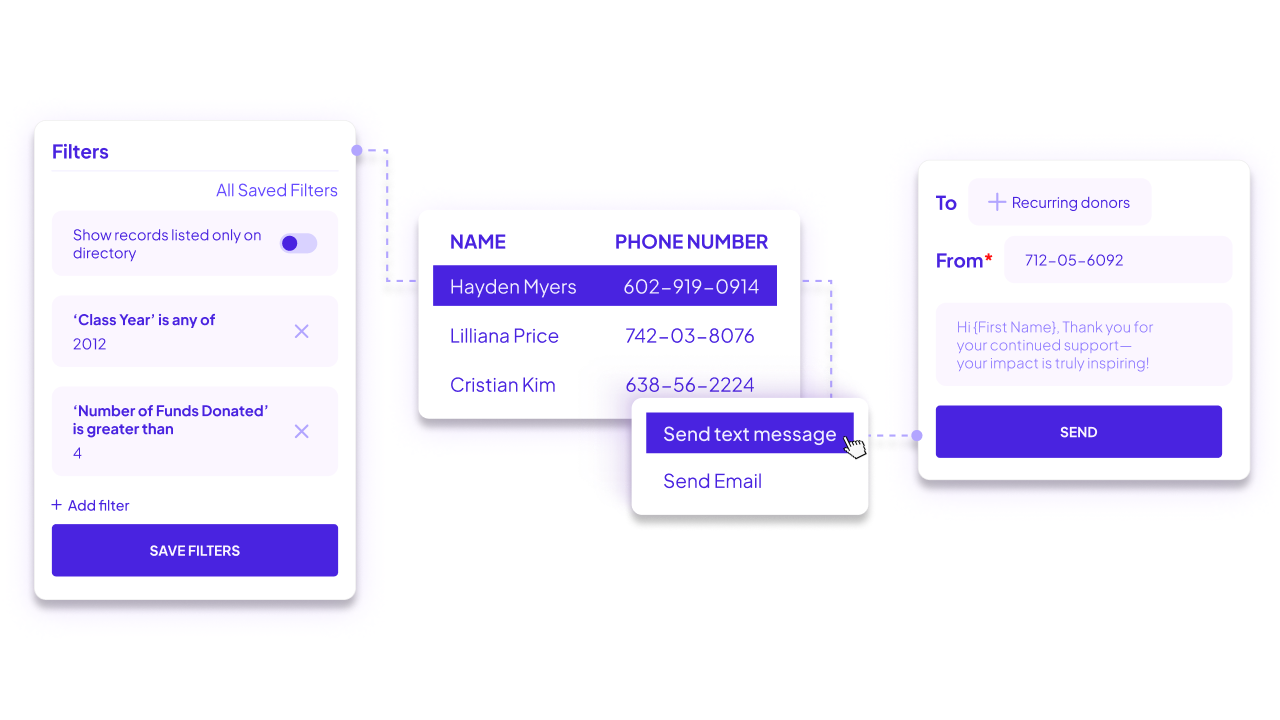
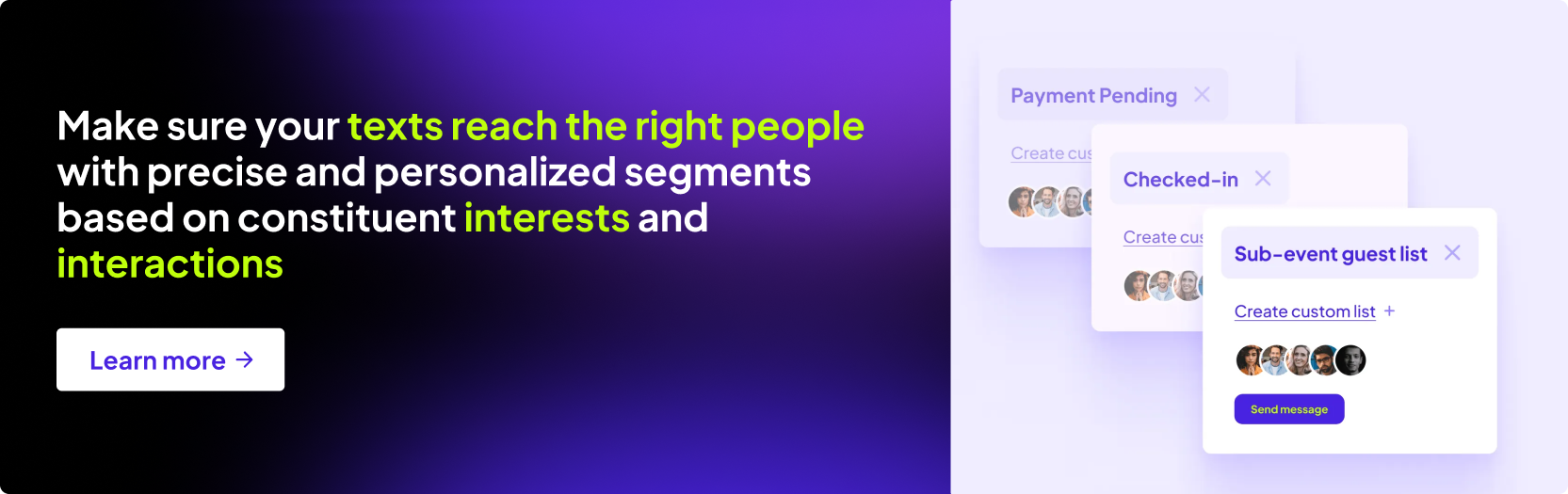
Target any segment of your alumni or donor base directly through Data Studio, just like you would for email.
Use merge tags and segmented lists to send messages that feel personal and relevant—whether it’s addressing someone by name, following up after an event, sending a tailored giving appeal, sharing a personalized reunion itinerary or nudging them about an upcoming mentoring session.
Collect consent during event registration, from alumni profiles, or upload it via Excel using the new "Consent" tab under text communication.
Monitor delivery rates, replies, and unsubscribes from a central dashboard so you always know what’s working.
Ensure your messages look familiar and trustworthy by sending them from local phone numbers.
Want to understand how it can work for your unique workflows? Our team is here to walk you through it.
👉 Talk to an expert and see how SMS can elevate your engagement strategy—from giving to events and everything in between.
Introducing: Integrated Text Messaging on Almabase
Lorem ipsum dolor sit amet, consectetur adipiscing elit. Suspendisse varius enim in eros elementum tristique. Duis cursus, mi quis viverra ornare, eros dolor interdum nulla, ut commodo diam libero vitae erat. Aenean faucibus nibh et justo cursus id rutrum lorem imperdiet. Nunc ut sem vitae risus tristique posuere.
A few weeks ago, we laid the foundations to and rolled out the revamped communication center to all our customers globally. We thought it would be a good idea to write about where we are going with this and why we see the 'Communication Center' as a cornerstone to alumni engagement.
We envision the Communication Center to be hub for all your digital communications with your alumni.
For those of you who have tried the feature out already, the first release of the communication center encompasses a powerful email editor and campaign manager coupled with a better user interface. As we continue to develop the platform, you will be able to reach out to your alumni on multiple channels to cater to different segments of your alumni, including SMS, In-app messaging, push notifications and more.
Let's take a deeper dive into some of the biggest changes with the email tool in this release.
You can now create structured, graphic emails with the new email composer. Easy create new email structures and fill them up with images, to send out to your mailing lists.

If you need to create a simple email that you quickly need to send out, simply toggle the 'Simple Email' switch to switch to the plain text email editor.
Plan on sending out weekly updates or monthly updates? you can create a set template, that can be reused for subsequent email campaigns.

Want to send out an email on Saturday morning? you can easily schedule the email in advance so you have a peaceful weekend.

Close to 66% of all emails sent are opened on a mobile device. So it's imperative that your emails look great on mobile devices too. Switch to the preview mode on the email composer to view what your email looks like on mobile devices.

You can now see how well your email campaigns performed with your mailing list. You get a quick glance into how many emails were delivered, opened and what the click through rates were. These analytics let gauge how responsive and welcoming your alumni are of your emails.

Be sure to watch this space for more updates to the Communication Center and for sneak peeks into what we are working on.
Tell us what you think in the comments section below. What communication channels do you usually use with your alumni that you would like to see added to the communication center? What are some parameters that you would like to track on your campaigns?

Centralising Alumni Communications : an introduction to the Communication Center
Lorem ipsum dolor sit amet, consectetur adipiscing elit. Suspendisse varius enim in eros elementum tristique. Duis cursus, mi quis viverra ornare, eros dolor interdum nulla, ut commodo diam libero vitae erat. Aenean faucibus nibh et justo cursus id rutrum lorem imperdiet. Nunc ut sem vitae risus tristique posuere.
Recently when we spoke with some advancement leaders about how they manage complex events like homecoming year after year, a common issue emerged: they are often stuck switching between different workflows for managing events and using various tools to send invites, especially when the team is already knee-deep in the preparation of the big event.
But what if there was a way to make sending invites, managing guests, and tracking invite statuses easier and more efficient?
We hear you loud and clear. That's precisely why we’ve simplified the way you send invites!

Managing events communication has always been a hassle, hasn't it? Remember the last time you had to move between different tools just to send an email leading to a fragmented user experience?
The new invites dashboard lets you send invites and manage your guests effortlessly in one place. You no longer need to switch between systems anymore— just add and manage guests by sending personalized invite links unique to each recipient, and tracking them-—all in a single dashboard.
Tracking RSVPs, monitoring invite status, and sending follow-up emails manually can be a drain on your time and energy. The new invites workflow changes that. You can now schedule new invitations and set up follow-up email campaigns on autopilot, eliminating the need to create and send invites from scratch each time and saving you countless man-hours.

Setting up your invite workflow is only half the battle won. Tracking the performance of your invitation workflow is equally crucial to understand your guests and improve your future campaigns. With the invitee reports, you can see the status of your invitations at a glance. You can further use these insights to personalize your follow-ups and create targeted strategies, to drive more registrations

Planning a board meeting or an exclusive gala for top donors? You can now make these events invite-only for a select group. Each guest will receive a personalized invite link that expires after they register, keeping everything private and exclusive. This will help you manage your guest list smoothly and ensure your events remain secure.
Managing big events doesn’t have to be stressful or complicated anymore. With our all-in-one dashboard, you can easily send invites, track RSVPs, and even host private events without jumping between different tools. It’s a simpler, more efficient way to keep everything in one place, saving you time and making sure your events run smoothly. Now, you can focus on what really matters: making your events memorable.

An easier way to manage your event communications: Simplify invites, RSVPs, and guest tracking—all in one place
Lorem ipsum dolor sit amet, consectetur adipiscing elit. Suspendisse varius enim in eros elementum tristique. Duis cursus, mi quis viverra ornare, eros dolor interdum nulla, ut commodo diam libero vitae erat. Aenean faucibus nibh et justo cursus id rutrum lorem imperdiet. Nunc ut sem vitae risus tristique posuere.
%201.svg)
%201.svg)
%204.svg)




.svg)