What is association management software, and does your nonprofit need it? Explore costs, essential features, implementation, and more with this complete guide.

Sharada Koti
Published:
November 20, 2026
Updated:

Keeping a nonprofit's membership organized takes a fair amount of work for any team. Someone has to keep member records current, follow up on renewals, collect dues, coordinate events, and make sure members receive the information they need. And when these tasks are spread across spreadsheets, email, and different software, this work can take even longer than it needs to.
Association management software (AMS) gives nonprofits a way to manage these responsibilities in one place. But why should a nonprofit look for an AMS, and how do you know when you need one? The answer depends on how your organization works and what you expect the software to help you manage. In this article, we will take you through what an AMS does, when your organization might need one, which features to look for, and what it costs. We'll also look at implementation, migration, and the factors worth considering before you choose a provider.
Association Management Software (AMS) is a platform used by membership-based organizations to manage member information, memberships, events, communications, and other administrative activities. It gives organizations a central place to maintain member records and coordinate the activities involved in running their association.
An AMS typically helps organizations manage membership applications and renewals. It also keeps member records organized and tracks participation in events and programs. Organizations can use it to maintain member profiles, collect fees, and manage membership categories. It can also help coordinate events and track participation. Depending on the platform additional features may include member directories, online communities, and chapter management.
Put together, these capabilities reduce the administrative work of managing a large membership base. For example, staff can automate renewal reminders, process registrations, send event confirmations, and update member records without handling each task separately. They can also access membership and participation history when communicating with members or planning activities.
An AMS also gives organizations a better understanding of how members engage with them. Records of event attendance, membership renewals, program participation, and communication preferences can help teams identify active members and those who may need follow-up. This information can help organizations plan member communications, events, and other engagement activities based on actual participation.
Managing a membership-based nonprofit involves a lot of moving pieces, like keeping track of applications, renewals, payments, events, and member communication. When the member base is small, a few basic tools may be enough to handle these activities. But as the organization grows, keeping everything updated across spreadsheets, email platforms, and separate systems can become increasingly difficult.
The need for association management software often becomes apparent when routine membership tasks start taking up too much time or when gaps in your processes affect the member experience. Here are some signs that your current setup may no longer be sufficient.
If member profiles are maintained in one spreadsheet, payment details in another, and event registrations on a separate platform, getting an accurate picture of each member takes extra effort. Staff may have to cross-check information across these disconnected systems to confirm important details like membership status or payment history. It also becomes harder to keep records consistent when multiple people update them. With enough turns, data inconsistencies might start adding up.
Renewals involve more than reminding members that their memberships are about to expire. Teams also need to track due dates, follow up on outstanding payments, confirm transactions, and update membership status. When these steps are managed manually, reminders could be missed, and records may not reflect the latest payment information.
Events give members opportunities to connect with the organization and with one another. But when registrations and attendance records are maintained separately from member profiles, it becomes difficult to understand who participates regularly and which members may need more engagement. It also becomes harder to follow up with attendees after an event.
As membership grows, sending relevant updates to the right people becomes more complicated. New members, long-standing members, chapter representatives, and members with different interests may not need the same information. If contact details and communication preferences are not maintained properly, members may receive irrelevant updates or miss important announcements.
Your team may spend hours updating member records and tracking renewals. Handling registrations and answering routine membership queries takes up more time. This leaves less time for outreach, events, and other activities that engage members.
An organization with a small membership base, a few membership categories, and straightforward renewal processes may be able to manage its operations without a dedicated AMS.
The important question is whether those tools can support the way your organization currently operates and where it plans to go. Consider how much time your team spends on routine membership tasks, how easily staff can access accurate records, and whether your current systems can handle increasing membership or more complex activities.
If your existing setup is still working well, there may be no immediate reason to switch. But if maintaining it requires more manual effort, creates gaps in member records, or makes it difficult to deliver a consistent member experience, it may be time to evaluate an AMS.
Association management software can cost anywhere from around $40 to over $1,000 per month, depending on the size of your organization and the features you need. Smaller organizations with basic membership requirements can often find entry-level plans at a lower price. Mid-tier plans offer more functionality, while larger associations with complex operations may need more advanced platforms with custom pricing.
Based on commonly reported pricing structures, the following ranges provide a general indication of what organisations can expect to pay:
These are broad estimates based on publicly available pricing in 2026, not fixed industry rates. The actual cost depends on the vendor's pricing model, membership size, and required features. Some providers also offer custom quotes instead of publishing their prices.
Vendors use different methods to calculate subscription fees. The most common include:
Depending on the provider and the plan you choose, getting the software set up and keeping it running may involve additional charges on top of your chosen subscription model. Check with each vendor to see what the quoted price covers and which services come at an extra cost.
The subscription fee may not cover everything required to set up and run the platform. It may come with additional charges for setting up the platform and using certain features. These may include:

Monthly billing gives organizations more flexibility and spreads the subscription expense across the year. It can be useful when trying a new platform or when the budget is approved in shorter cycles. Annual billing may offer a lower overall subscription cost, but it requires a larger upfront payment and a longer commitment.
Before choosing annual billing for the discount, check whether the platform meets your requirements and whether the contract allows you to cancel or change plans. Also review automatic renewal clauses, renewal price increases, and any notice period required to end the contract.
If your organization is adopting an AMS for the first time, a lower annual price may not be the only consideration. You should be confident that the platform can support your membership operations before committing to a longer contract.
Moving to an association management software requires a fair bit of planning, whether your nonprofit is adopting one for the first time or replacing an existing platform.

Adopting an AMS for the first time or switching from an existing one usually involves these five steps, although the details look different for each use case:
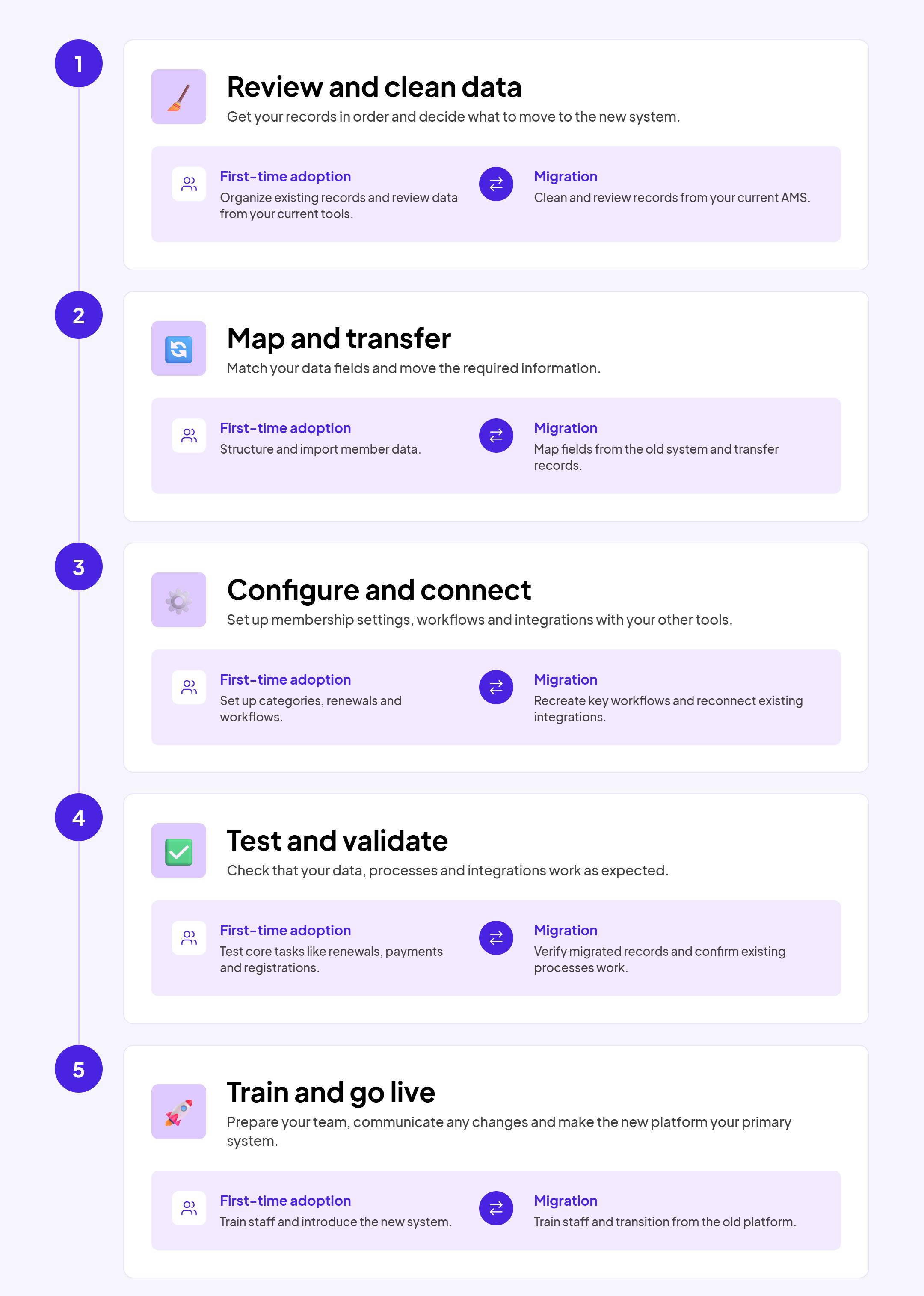
Implementation and migration requirements vary from one AMS provider to another. Some offer hands-on support to help organizations prepare and transfer their data.
Almabase, for example, offers assisted migration, while others may provide basic guidance and expect the organization's team to handle more of the work. Before signing a contract, clarify:
A clear implementation plan helps your organization prepare for the time, resources, and internal coordination involved. It also gives you a better understanding of what the vendor will handle and what your team will need to manage.
The features you need in an association management software will depend on your nonprofit's size, membership structure, and activities. However, most nonprofits need a few basic capabilities to manage their memberships effectively. Regardless of their size, most membership-based nonprofits should look for these core features in an AMS:
Beyond the essential membership functions, some AMS platforms offer additional capabilities to support an association's programs, member services, and day-to-day operations. The features you need will depend on your organization's structure and the services you provide.
Other capabilities may include job boards and career centers, e-commerce for publications and merchandise, mobile apps, volunteer management, election management, and advanced financial or fundraising modules. Some platforms include these as built-in features, while others offer them as paid add-ons or integrations.
Of course, you don't need every feature listed here. An association with several regional chapters may prioritize chapter and committee management, while a professional association may value continuing education and certification tracking more. Choose additional capabilities based on the services you provide and the work your team needs the software to support.
Two nonprofits can have similar membership numbers and still need very different software. A feature checklist alone won't tell you whether an AMS is right for your organization. You need to look at how the software fits your existing systems, what your team can manage, and what you expect the organization to need in the coming years.
Look at the tasks that take up most of your team's time. Are you spending hours updating member records, following up on renewals, coordinating events, or sending separate communications to different member groups? Identify the processes that need to improve before looking at vendor feature lists.
Also consider what happens beyond routine membership administration. If your nonprofit runs fundraising campaigns, hosts events, or maintains member directories, you may need tools that support these activities and connect the information they generate.
For example, Almabase offers separate capabilities for online giving, event management, and member directories. Its digital engagement programs also support activities such as business directories, job boards, mentorship, and group engagement. These are worth exploring if member and supporter engagement extends beyond maintaining membership records.
Before choosing a platform, understand how it will work with the software you already use. This is particularly important if your nonprofit has an established CRM and does not want to replace it. Ask vendors which systems they integrate with, what information moves between them, and whether the integration is automatic or requires manual exports and imports. Check how member updates, event registrations, payments, and communication activity are reflected in your records.
Almabase, for instance, works alongside an existing CRM rather than replacing it. Its TrueSync integration connects engagement activity, event, and giving data with supported CRM systems. Its fundraising marketing platform, Beacon, supports fundraising communications, audience segmentation, and campaign reporting. This type of setup may be relevant to organizations that want to add engagement and fundraising capabilities while retaining their existing database.
A software demonstration can make implementation look straightforward, but the actual work can take considerable time and effort. So the level of support you receive from the provider can make a significant difference here. Some vendors expect your team to handle much of the data preparation and transfer, while others provide hands-on assistance throughout the process.
Almabase provides dedicated implementation and migration support. Its team works with organizations through the transition, from reviewing existing data and planning the migration to configuring integrations, validating records, and preparing for launch. Organizations who choose to migrate also work with a dedicated Customer Success Manager and implementation specialist. Any work outside the agreed migration scope is identified and discussed before additional work begins.
When evaluating providers, ask what their implementation support covers, which tasks your team will be responsible for, and whether additional requirements involve extra costs. Also check what training and post-launch assistance are included.
Find out how pricing changes when you add members, administrators, chapters, integrations, or extra modules. Check whether implementation, migration, training, and ongoing support are included or charged separately.
It is also worth asking vendors to show how your costs might change as the organization grows. A lower-priced plan may work today but become expensive once you need additional functionality or a larger membership capacity. Compare the likely cost over the next few years, not just the amount quoted for the first year.
Before making a decision, ask for a demonstration based on your organization's regular workflows. See how the platform handles a new membership application, a renewal, an event registration, or a member directory search. If you have multiple chapters, ask to see how records and activities are managed across them.
Involve the people who will use the software, not just the person leading the purchase. Their feedback can reveal practical issues that may not come up during a sales presentation. Ultimately, choose a platform that addresses the work your organization needs to do, fits the systems and resources you already have, and leaves room for your requirements to change. A long feature list or a low starting price cannot make that decision on its own.
An association builds strong member relationships by consistently delivering value through its services, resources, and activities throughout the year . Members need easy access to these offerings, along with opportunities to participate in programs and stay connected with the association. The right software should make this possible while helping the team manage membership and day-to-day operations without extra administrative effort.
If you're considering how to strengthen these experiences, see how Almabase brings together tools for directories, events, giving, and engagement. Book a personalized demo to explore the possibilities.
1. Can association management software integrate with an existing CRM?
Yes. Many standalone AMS platforms integrate with CRM systems, allowing organizations to manage membership activities while retaining their existing CRM.
2. Can members update their own information in an AMS?
Yes. Many platforms offer member portals where users can update profiles, renew memberships, pay fees, and register for events.
3. How long does AMS implementation take?
It depends on the volume of data, integrations, customization, and migration support offered by the vendor.
4. Can an AMS manage multiple chapters?
Yes. Some platforms support multiple chapters or regional groups, with separate access, reporting, and membership management.
5. Is association management software secure?
Security varies by provider. Check for data encryption, access controls, backups, security certifications, and clear data protection policies before choosing a platform.
6. Is association management software suitable for small nonprofits?
Yes. Smaller nonprofits can use an AMS to manage member records, renewals, and events. They should choose a plan that fits their current needs and budget.
7. Can an AMS automate membership renewals?
Yes. Many platforms can send renewal reminders, process recurring payments, and update membership statuses automatically.
8. Does association management software support event registration?
Most AMS platforms offer event management features such as online registration, attendee tracking, and event communication. The available features vary by provider.
9. Can an AMS manage different membership types?
Yes. Many platforms allow organizations to create membership categories with different fees, eligibility criteria, benefits, and renewal terms.
10. What happens to member data if an organization changes its AMS?
Organizations can usually export their data from the existing platform and transfer it to the new one. The available formats and migration support depend on the providers involved.
Subscribe
See how modern advancement teams bring alumni engagement and fundraising together.
Plan faster. Execute better
Explore free templates designed for alumni and fundraising teams.

Sharada Koti
For decades now, fundraising galas have been at the forefront of philanthropic events, and with good reason. It’s a format that combines formality, cause and accessible fun very effortlessly.
The best part about a fundraising gala is that it doesn’t have to follow specific guidelines; you can customise it however you want according to your needs and your donors. It can include just about anything ranging from live entertainment, food, presentations to auctions and awards.
And that’s also why the distinctness of your particular gala is all the more important. We’ll take a look into how these events are planned, and some unique ideas that you can adopt to engage your donors.

Galas have been a philanthropy event mainstay for a long time now, but it begs the question of whether they still provide ROI or just function as a general networking event.
The data on this leans towards the former. Overall, in 2025, about 77% of organizations met or exceeded their fundraising goals. The ones that organized purely in-person events or mixed it up with virtual/hybrid events were the standout performers.
But there’s more. Here are a couple of interesting takeaways from the same study:
This gives us two important takeaways: one being that events in general continue to be a crucial part of philanthropy. Secondly, galas meet both the criteria of being an in-person event as well as an event that can incorporate virtual or hybrid events (or purely any of the three).
All that is to say that galas continue to meet the preferences of donors as well as the innovations of fundraising teams, giving us an easy answer to our question above: Yes, galas are definitely worth it in 2026 and will in all likelihood, continue to be in the foreseeable future.
Fundraising galas are extremely customizable, making it easy for you to incorporate themes and programs catered to your organization and its donors. Here are a few gala ideas that can create fun, memorable experiences that inspire your donors to contribute.
There’s a reason black-tie galas are a mainstay on the fundraising calendar. The dress code, the venue, the etiquette all add to the formal tone that tells guests that this is one to show up for. The sense of occasion created also goes a long way if major donors are in attendance.
Nearly 800 guests turned out for Children’s National Hospital Foundation's 2025 Children’s Ball at The Anthem in Washington, D.C., raising more than $3.2 million for the Fund for Every Child. Held every spring with a black-tie dress code, the Ball has become one of those D.C. events people plan around, having built an enduring legacy since its first edition in 2007. Since then, the foundation has raised more than $54 million towards its cause.

The evening had all the trappings of a major gala, but the mission was never lost within the glam.
Max, 16, opened the night with a special performance after receiving music therapy at Children’s National for cerebral palsy. The co-chairs, who have personal connections to the hospital and its families, shared their own stories of finding answers and expert care when they needed it most. Then came Raci, 7, celebrating her recovery from a life-threatening car accident. Those moments gave the evening a personal touch and the guests a reason to care. Without something like this, a black-tie event involving children would run the risk of appearing almost distant, given the formal nature.
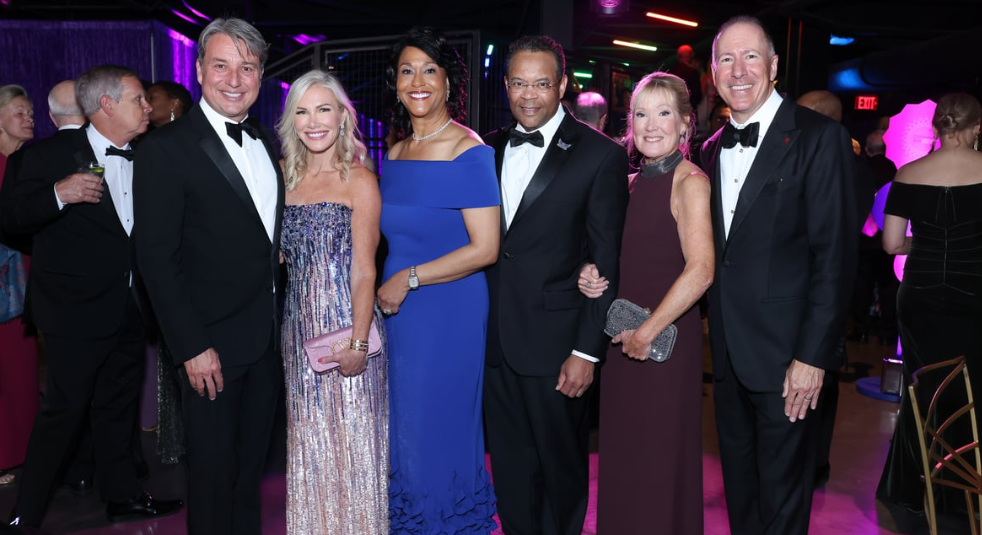
Give your guests a reason to feel connected to the mission through a patient or beneficiary story or a moment that puts the impact of their support right in front of them. Peer voices from those who donated can also be very impactful here.
St. Jude’s second biennial Evening of Hope Gala at the Fairmont Century Plaza brought in more than $5.5 million in 2025. Its theme, “Infinite Light,” centered on the idea that each of us has the power to create a lasting legacy: a fitting nod to St. Jude founder Danny Thomas and the vision that started it all.
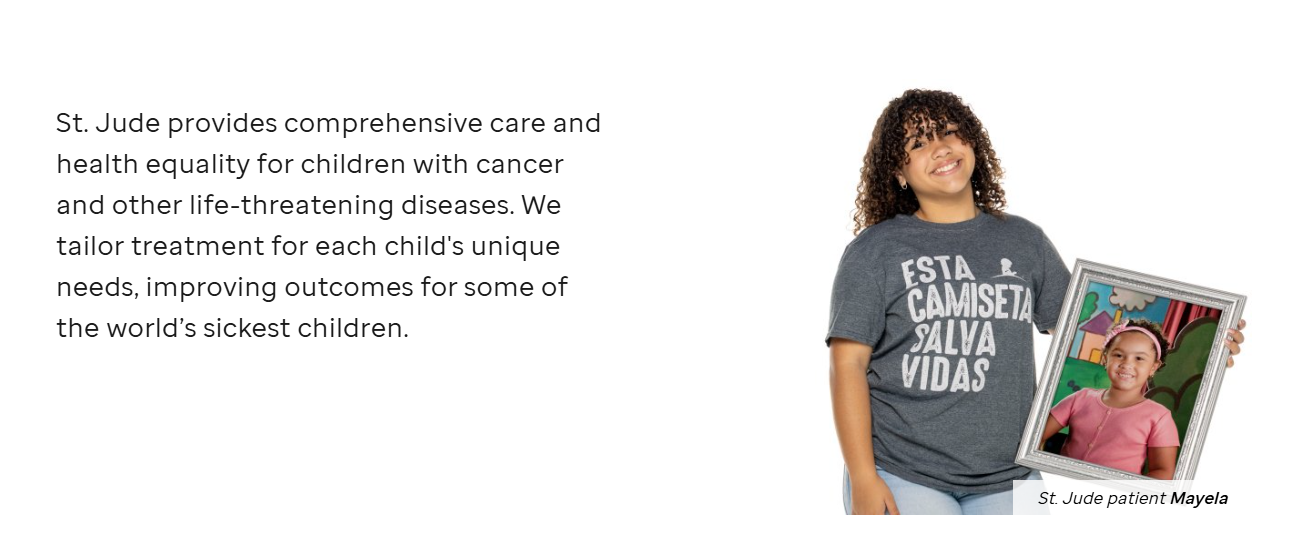
There’s something different about an event that doesn’t happen every year. By giving the Evening of Hope some breathing room, St. Jude builds anticipation around it and makes the night feel like a genuine occasion.
Vancouver's Capital Direct VGH+ Gala brought in $3.2 million in 2025, including a $1.2 million gift from the Ko Family and Viva Pharmaceutical Inc. and a $100,000 matching gift from Windset Farms. While the size of the gifts is impressive, what’s noteworthy is that the organizations backing the gala stepped up as donors, too.
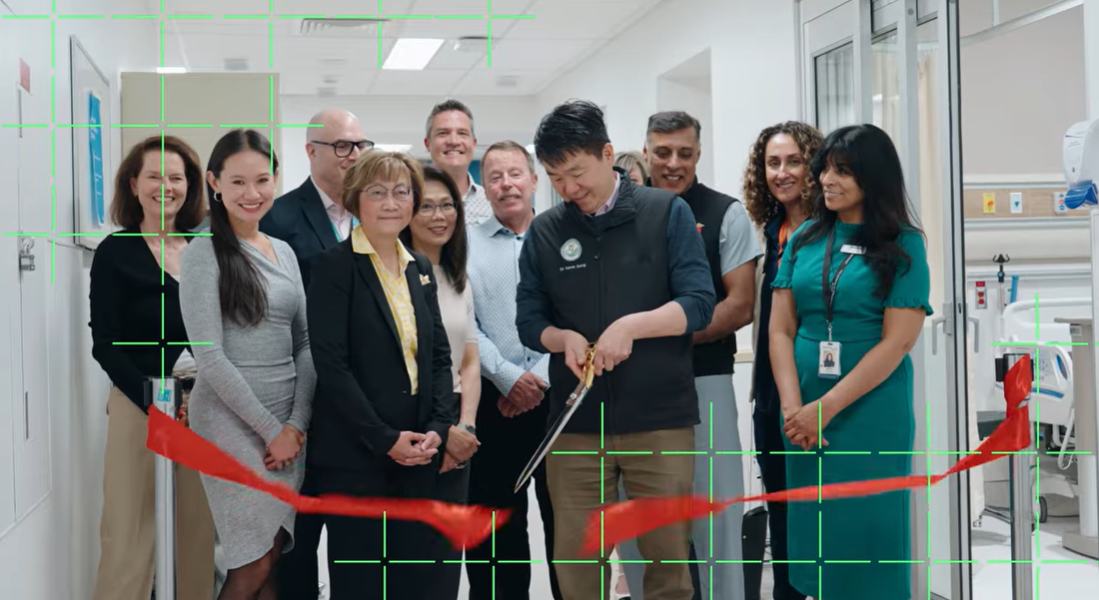
What really worked here is the guest list. The gala brought together health care leaders, community members, and people who were already invested in the work of VGH and UBC Hospital Foundation. When that kind of crowd is in one room, raising money is just the most basic part of the story. What’s far more impactful is that it puts the story and the cause front and center . The Ko Family’s $1.2 million gift was announced during the evening, putting a major show of support right in front of an audience that understood what it meant.
A matching gift, a surprise announcement, or a major commitment can give the evening an almost tangible boost in spirits. At the end of the day, treat your biggest supporters like partners in the event and show them that their presence matters more than the sponsorship amount they contribute to the event.
Some galas succeed because they give guests a reason to go all out. A well thought out theme is a great way to incorporate some of this into your gala.
The 9th Annual Gala & Auction at Twin Arrows Navajo Casino Resort went all in on the masquerade theme, with festive décor, dinner, dancing, and a silent auction featuring unique works of art. Proceeds went directly to Tuba City Regional Health Care Corporation to support Native American communities.
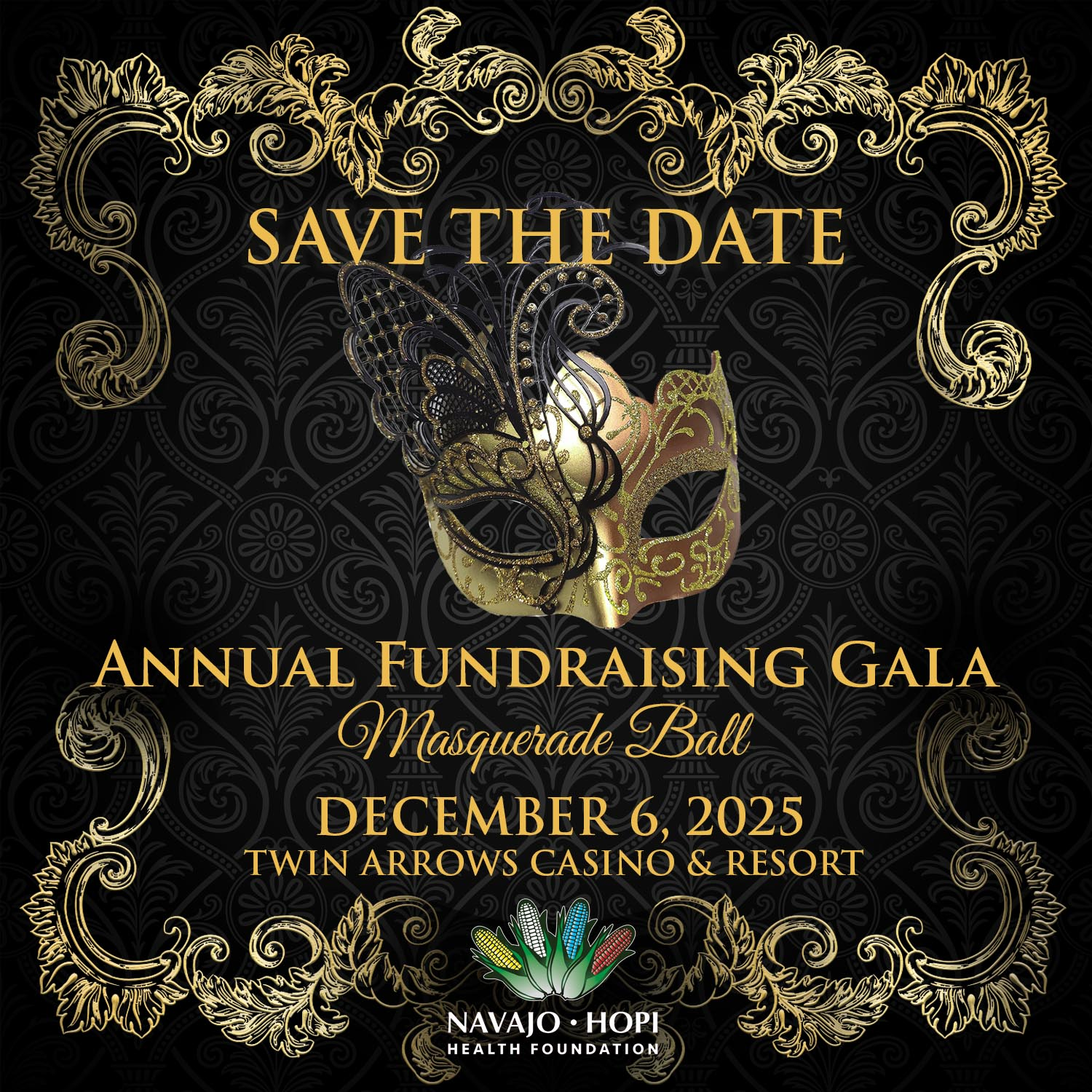
The masquerade theme is always an easy hit with attendees, and it was no different with this event. Choosing a casino resort instead of the usual hotel ballroom added a touch of novelty to a fairly common theme as well. While the set up was commendable, the true success was, of course, what the event supports.
The organizers were very upfront about where the funds raised went. They helped purchase bilirubin monitors for newborns, infant warmers for critically ill babies, and physical rehabilitation equipment to help patients regain strength and mobility. This made the impact much easier to picture.
The 19th Annual St. Jude Pittsburgh Gala took an Old Hollywood turn at Acrisure Stadium’s East Club. Between the setting, the elegant decor, and the storytelling around Danny Thomas’s legacy, the evening had the feel of a movie premiere, except it was the mission that was at the center of it.
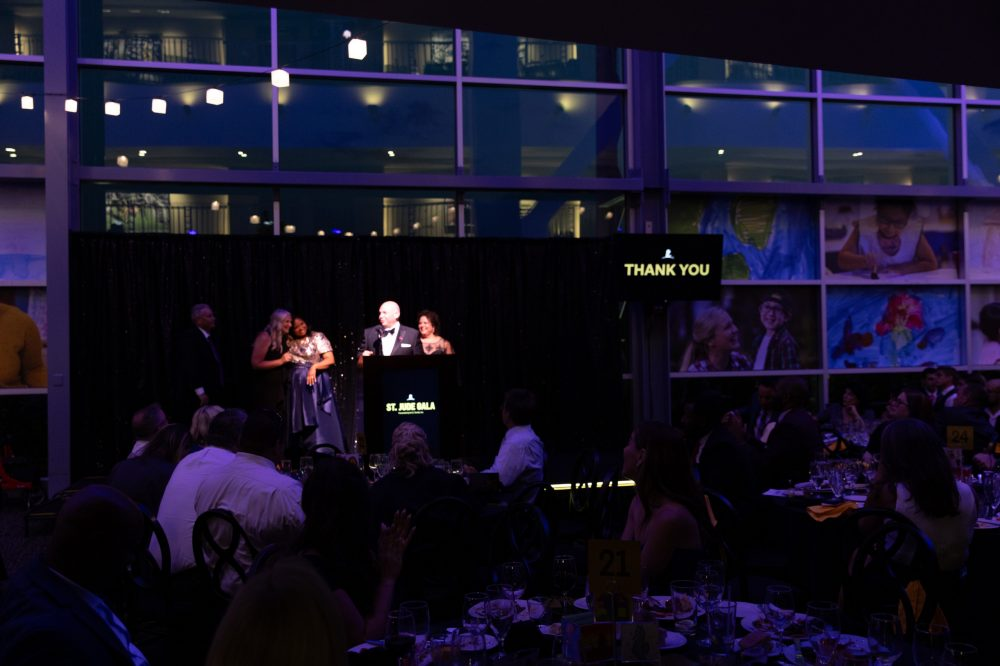
A stadium’s premium club isn’t where you’d normally expect a gala, which made the setting part of the experience. The Old Hollywood theme then gave the night its own visual identity and a natural excuse for guests to dress up. Most importantly, it wasn’t a theme picked just because it looked good. It tied back to St. Jude’s history and founder and entertainer Danny Thomas, placing the evening in a story that everyone attending was already familiar with.
To replicate this idea, start with the story you want guests to walk away with, then build the theme around it. A memorable venue can help too because you may not need to transform a space if the space already has a personality of its own.
Held at Pier 27 on San Francisco’s Embarcadero, Miracles on the Bay had a pretty spectacular programme. Cocktails, dinner, live music, dancing, and a few masquerade masks rounded out an evening with the Golden Gate Bridge and the bay as the backdrop.
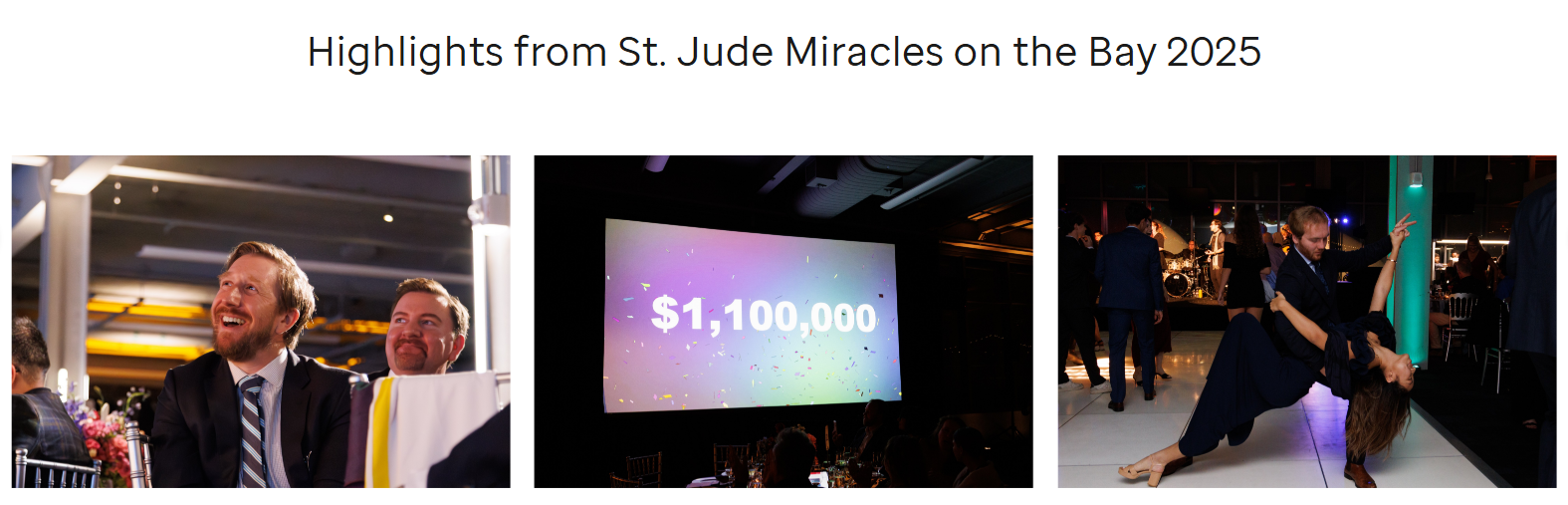
Sometimes the smartest decor decision you can make is to leave well enough alone. The gala let the waterfront do the heavy lifting, with most of the decor built around it, minimal and polished. All proceeds from the event benefitted St. Jude, where families never receive a bill from St. Jude for treatment, travel, housing or food so they can focus on helping their child live.
If your venue already has a great view, beautiful architecture, or some other built-in wow factor, let it carry the room. Add a few details, like minimal lights, drapes and maybe some flowers that complement it rather than trying to transform the space completely. Your budget will thank you and your guests will end up having an amazing time, regardless.
The 15th annual Grand Cru, Canada’s premier wine and culinary fundraiser for medical research and innovation, raised a record-breaking $33 million-plus for Toronto General and Western Hospital Foundation programs. Over two days, the event puts food and wine front and center, with an experience that felt much more like a festival for food and wine lovers
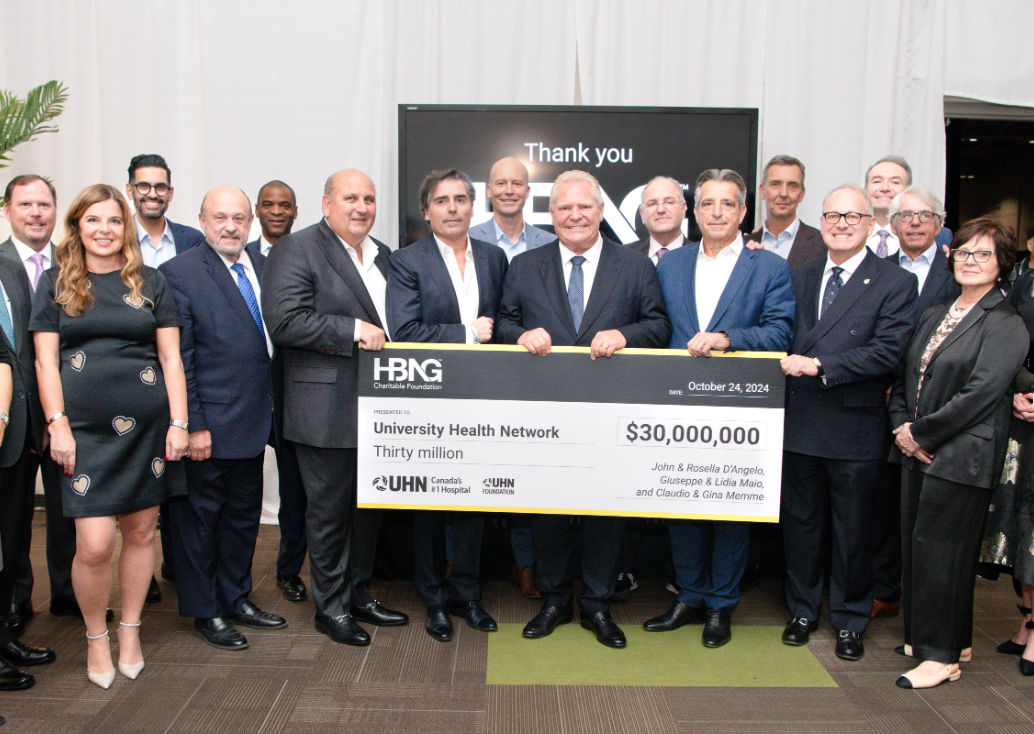
Grand Cru zeroed in on something their audience cared about and built the fundraiser around it. At the same time, wine and food is a broad enough theme for just about everybody to look forward to it. Wine tastings, great food, and access to culinary experiences gave people plenty of reasons to want to be there, while the mission sat naturally alongside the experience. The two-day format also made the event feel like more than one big dinner, more like a festival; a whole weekend of food, wine, and philanthropy.
Think about what your supporters genuinely enjoy outside of your organization, and build your theme around that. It could be food and wine, golf, art, fashion, music, or something completely different.
Not every gala can appeal to everybody, and that’s not really a bad thing. Sometimes it helps to be extremely specific about who a gala is for, and build the entire evening around that community.
The White Hat Gala brings together leaders from cybersecurity, technology, AI, finance, law, and government to support pediatric healthcare. Since 2013, it has raised more than $7 million, while becoming a regular gathering point for people working across Washington’s technology community.
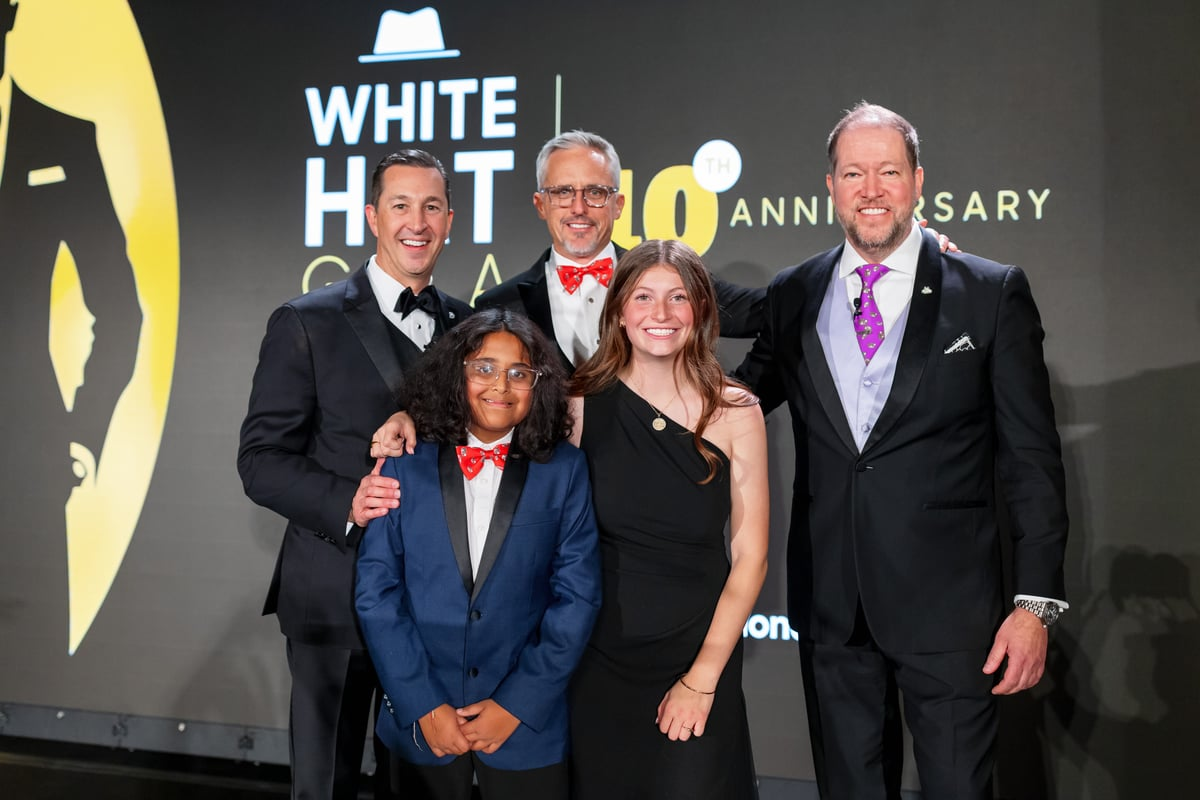
The White Hat Gala has a clear audience and gives them a reason to come together. Tech leaders can catch up with peers, meet people outside their usual circles, and spend an evening supporting a cause that intersects with their world. This makes the event feel like part of the community’s calendar.
Look for a community that already exists around your mission. It could be an industry, profession, alumni group, or local business community. Then give them a reason to want to be in the same room. The cause is still the reason you’re gathering, but the conversations, connections, and shared interests are what will make the invitation especially appealing!
Every year, Spirit of Hope brings together leaders from New York’s commercial and residential real estate and construction communities. The evening mixes food and drink from some of the city’s best spots with music, a silent auction, and St. Jude stories and experiences.
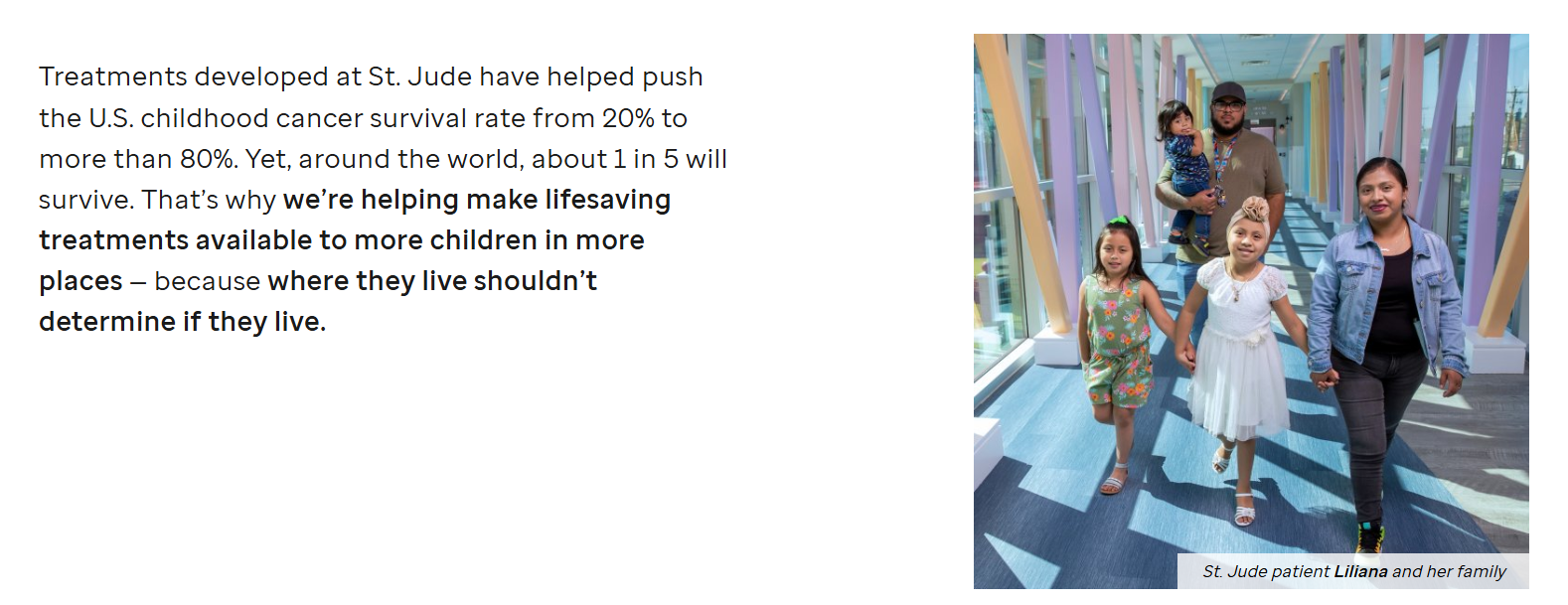
Nothing short of stalwarts in their field, St. Jude knows its audience and builds the evening accordingly. The food, drinks, entertainment, and setting give real estate and construction leaders the kind of polished, social experience they’re used to and the St. Jude side of it gives the evening a clear purpose. The different parts of the night have a reason to be there. This kind of cohesion and clarity of purpose goes a long way in a room full of leaders in their community.
Once you’ve decided your specific audience, research what kind of events they already enjoy. You don’t have to outspend every other event on their calendar but these events serve as a good reference point. A well-chosen venue, good food, thoughtful programming, and a room full of the right people can go a long way in capturing their attention. Once you have their attention, give them a few meaningful ways to connect with your mission, and make it easy for them to give.
A great story has a way of sticking in your memory, and a gala with a good story attached to it is no different. Find a story for your evening and let the program, the dress code, the speakers, even the auction build up around it.
The fourth annual Moments of Courage gala celebrated the milestones that mark a child’s journey at St. Jude, from birthdays and graduations to finishing treatment. Guests were encouraged to wear pink, orange, or red, giving the evening a bright, celebratory feel from the moment they arrived.
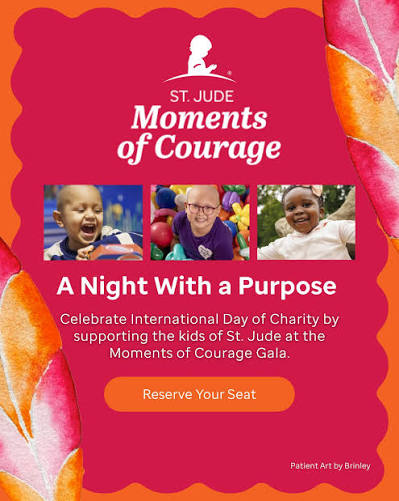
Held every year, the gala is centered around celebrating the milestones in the St. Jude’s children's lives. “Milestones” gives the evening a story and theme everyone understands. Birthdays, graduations, finishing treatment, are all moments families look forward to, and putting them at the center changes the tone of the gala.
Even the dress code supports the idea: the bright colors feel festive and joyful, and no one needs to show up in costume. The result is an amazing evening that celebrates what patients and families are experiencing, rather than simply talking about the challenges they face. This kind of upliftment to the spirits cannot be overstated.
Look for the part of your mission that your community celebrates with you. Maybe it’s a graduation, a recovery, a new beginning, a scholarship recipient’s next step, or a community that has come together after a difficult year. That gives you a much richer starting point than simply “our organization does important work”, especially since your community is already familiar with the work anyway.
The 2026 Spring Gala organized by the Hospital Foundation of Decatur County brought more than 400 community members, local leaders, businesses, donors, and healthcare advocates together in support of local healthcare, raising more than $143,000. Alongside the fundraising, the evening created a chance for the community to come together around something that affects everyone: the healthcare available close to home.
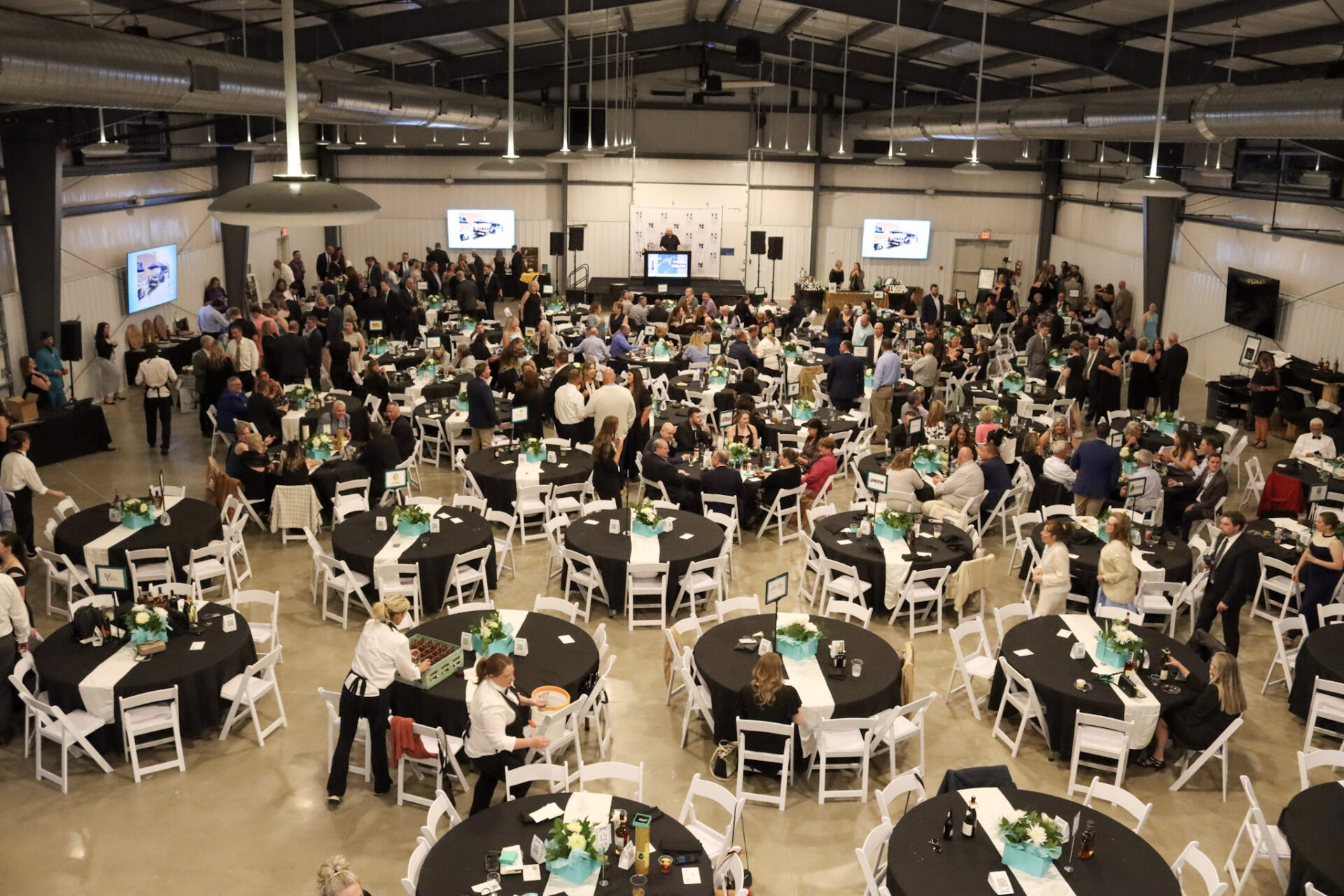
This is a very different kind of gala from a large, high-production event in a major city. In a community of this size, the people in the room are likely to already know one another, the hospital, or someone who has relied on it. The event can tap into that sense of shared responsibility in a way a much larger gala might not, and that becomes the story for the evening. The auctions give people another way to participate, while the gathering itself reinforces the idea that local healthcare belongs to the whole community.
There’s no single formula here. Some of these galas are built around major donors, some around a particular professional community, and others around simply bringing a town together.
What they do share is a clear sense of why this particular event exists and why people would want to be there. The venue, theme, food, stories, entertainment, and giving moments all have a role to play and they don’t feel like separate pieces stitched together at the last minute. They’re all very intentional with what they’re doing.
That’s a worthy lesson for when you’re planning your own gala. More than a big budget or an elaborate production, you need an evening that feels intentional from start to finish, gives people something to enjoy, and leaves them with a reason to remember why they came.
As you might know, a successful fundraising gala sometimes takes months and months of preparation. Coming up with plans and goals is easy enough, but with the amount of moving parts, keeping track of progress across all fronts can be confusing.
Here are the steps you can broadly follow to ensure a smooth planning phase for your event:
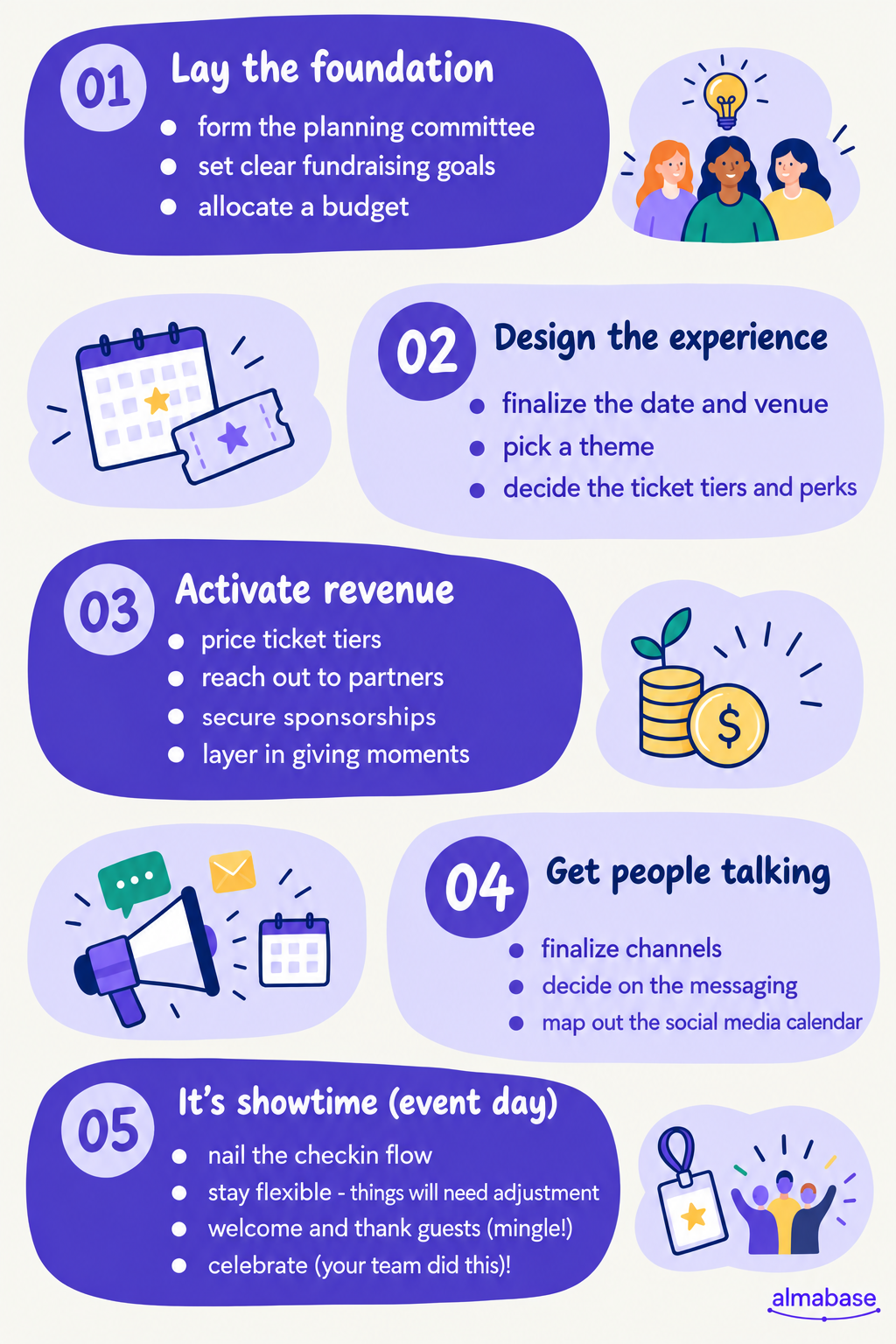
This is where you get the big stuff out of the way: who’s running the gala, what you need to raise, how much you can spend, and where and when it’s happening.
A few things you should sort out early:
Get these decisions right and you’ve got yourself a solid base to begin with.
Once the basics are locked in, you can start figuring out what kind of evening you want to create. Pick the theme, settle on your ticket options, and start lining up speakers and entertainment. This is where research you’ve done about your community, their preferences, the story, all come in handy.
Your theme need not be complicated. But your theme will give your plans a direction and shape a lot of the smaller, more specific choices you’ll have to make. If you’ve chosen an Old Hollywood gala, for example, that decision itself answers questions about the music, dress code, décor, and even the food.
At this stage, you work out how the event will make money. Sponsorships, tickets, auctions, and giving moments can all contribute, but the numbers need to make sense together.
A couple of things to keep in mind:
Now that the event is planned, it’s time to create buzz around it! 🐝
You need people to know about your event, and, more importantly, for them to care about your cause.
Start early with the save-the-date, then give people new reasons to pay attention as the event gets closer. Some ways to do it are:
Make sure to do these or a combination of these in a staggered manner; you don’t want to give too much away at once. And of course, it’s equally important that the right message reaches the right segment of your audience. Each segment will have a different reason to care and show up, make sure they feel considered.
By the time guests arrive, your team should know where they need to be and what they’re responsible for. Walk through check-in, make sure volunteers know the basics, and have someone in charge who can make a call when something inevitably changes.
It’s important to be flexible and accommodate minor adjustments and changes on the fly. And once everything is in place and the event is well on the way, take a step back and appreciate everything you and your team have just achieved. 😊
Keeping track of outreach sequences, responses, and registrations while simultaneously planning for event logistics can end up being messy and stressful. Almabase gets some weight off your shoulders by bringing together engagement, giving, and event planning under one roof.
Especially with a gala involving auctions and sponsorships, you’ll need varying registration forms and workflows. With the built-in event builder module you don’t have to worry about losing track of different groups of attendees and the relevant forms. Almabase can also accommodate complex tiered ticketing structures, which you will need to tackle for a large fundraising gala with multiple sub-events.
With Emily AI, you don’t have to take painstaking effort to manually personalize outreach for every segment of attendees. The context-aware AI drafts subject lines and event emails which you can further tweak to your liking.
During the gala itself, ground operations can be hard to manage even with enough volunteers. QR check-ins, payments, and on-site registrations are all automatically synced to your CRM when using Almabase. Additionally, seating assignments and name tags are easy to arrange.
As for tracking and collecting event data, you can do away with spreadsheets (well, most of them). Almabase lets you see registrations, revenue, attendance, and engagement data all at the same place. If you’re selling merch, tracking order count ensures that you’re prepared with just the right amount of stock next time around.
Fundraising galas inject some much needed spectacle and celebration when it comes to giving. They’ve been a mainstay in philanthropy for many decades, and will continue being so long into the future. Hopefully, you’ve gained some helpful pointers in planning one of your own and drawing people to your cause.
If you’re on the lookout for tools that could help your team and wish to learn more about Almabase, we’d suggest booking a personalized demo. Happy planning!


10+ Fundraising Gala Ideas for Nonprofits
Lorem ipsum dolor sit amet, consectetur adipiscing elit. Suspendisse varius enim in eros elementum tristique. Duis cursus, mi quis viverra ornare, eros dolor interdum nulla, ut commodo diam libero vitae erat. Aenean faucibus nibh et justo cursus id rutrum lorem imperdiet. Nunc ut sem vitae risus tristique posuere.

Hari Govind
July 7, 2026
12 minutes
Ask anyone at a nonprofit who their community is, and you’ll likely find the answer to be a vibrant mix of different groups. It's the donors who give every December, the volunteers who turn up on Saturdays, the members who renew each year, the guests at your spring gala, and the advocates who share your posts. Sometimes it’s one person wearing some or all three of those hats! 🌻
But keeping all of them close between asks is getting harder. The Fundraising Effectiveness Project's Q2 2026 report found dollars raised up 6.6% year to date while donor counts fell 1.6%, and only 11.3% of donors acquired in 2025 had given again by mid-year.
That's the work a good online community platform takes on: keeping your community active, bringing people closer to each other, and helping them stay connected to your cause. The platforms in this list approach it in different ways. Some put community-building at the center, while others bring these features into a CRM, learning platform, or event and fundraising software.
Each has its own strengths, so we'll look at what they offer and where they fit best. The right choice for you depends on which of these looks most like the way your team already works.
An online community platform gives your nonprofits’ supporters a branded place to find each other, join relevant chapters and affinity groups, and hear from you. It's where you can help your community build and foster relationships that begin in the big moments, like your year-end gala.
Most platforms in this list offer one, multiple, or all of the following:
No platform on this list does all of these equally well, so it helps if you’re clear on your priorities going in.
Your CRM is the place for the record: who a supporter is, what they've given, and how your team has looked after them. A community platform, on the other hand, holds the interaction. So think about the event they came to or the student they agreed to mentor.
Facebook and LinkedIn groups are sometimes used for similar purposes and they are good for conversation. In fact, plenty of nonprofits start there. The catch is that the activity stays on the social network. Your team can't easily tie it to a donor record, segment on it, or hold on to it when the staff member who ran the group moves on.
Every action taken by a supporter, like an RSVP, volunteer shift, and membership sign-up tells you what they care about. This is very valuable information if you’re planning a fundraiser and deciding on the guest list. The FEP's Q2 2026 data shows just how few first-time donors come back on their own, so it’s worth going the extra mile to hold on to those signals.
They only help if they reach the donor record. When your community platform syncs with your CRM, or includes one, your gift officers and annual fund team can see engagement right next to giving history. This connection essentially closes the loop and presents the full story.
We looked at each platform the same way: what it is, who it suits, where it stands out, what you might need alongside it, and what it costs.
Almabase is an engagement and fundraising platform that works on top of the CRM you already use. Institutions and nonprofits use it to run their digital directory, affinity groups, mentorship, events, and online giving in one branded space. What supporters do within this space flows back to your CRM, so your team sees community participation alongside giving history. Almabase particularly shines in bringing community, data, and giving all in one place and tying it all together with integration that keeps your data consistent, saving your team lots of time.

Almabase is well-suited for nonprofits that already have a donor CRM they rely on and want community, events, and giving connected to it.
TrueSync for Raiser's Edge NXT updates profiles in both directions and sends gifts, event registrations, and guests into RE NXT, and you can even review changes before they land. There's also a native Blackbaud CRM integration and scheduled data exports for CRMs like Ellucian, Slate, Kindsight, Veracross, and DonorPerfect.
If you don’t already have a donor CRM, you might need to layer one on top since Almabase is designed to work with one, and is not one by itself.
Pros
Cons
Pricing: Pricing depends on which features and modules you need and on the number of records in your database. Request a demo for a quote.
Neon CRM is a donor management system you can extend with modules for memberships, events, and volunteers. Out of the box, you get donor profiles, campaigns, peer-to-peer fundraising, recurring gifts, email and text outreach, and a donor portal. With its Memberships module, your members get a portal, sign-up forms, auto-renewals, and directories.

Neon CRM is a good fit for small and mid-size membership organizations that want to manage the CRM and member portal with one vendor.
Neon CRM comes with predictable pricing. Every tier includes unlimited records, users, emails, and reports, and cost is tied to your annual revenue, so a growing database won't push up your bill.
Neon's community features center on the member portal and directory. If you want members talking to each other through discussion groups, mentoring, or an active feed, you may need to layer a separate community tool.
Pros
Cons
Pricing: Neon CRM starts at $99 per month, with tiers based on annual revenue. Add-on modules cost an additional 10% (Memberships, Volunteers) to 20% (Events) of your base CRM plan.
Givebutter is a fundraising platform with a free CRM built in. The free plan covers donation forms, fundraising pages, events, auctions, donor management, email marketing, and a mobile app, so a small team without a dedicated budget can run campaigns. Givebutter Plus adds paid features such as automated workflows and task management, more sophisticated reporting, video messages, and more.

Givebutter’s basic, free plan is perfectly suited for small teams on a tight budget running campaign-led fundraising. The free plan includes the CRM with unlimited contacts. With donor tips turned on, Givebutter charges no platform or processing fees on online transactions.
But for more community-oriented needs, you’ll still want a place for supporters to connect, such as directories, groups, or mentoring. For automated workflows, texting, or deeper reporting, you'll need Givebutter Plus.
Pros
Cons
Pricing: Free with optional donor tips. Givebutter Plus starts at $29 per month and scales by contact count.
Hivebrite is a community platform used by alumni networks, associations, and member-based organizations. Its Focus plan gives you a member directory with a map view, events, news, forums, a live feed, direct messaging, analytics, and paid memberships, with no cap on members.

It is well-suited to community-first organizations with large or distributed member networks, such as chapters and regional groups. It particularly shines at helping members find each other. The directory and map suit networks spread across cities or chapters. Its Custom plan adds advanced group features.
Hivebrite’s Focus plan does not come with CRM integrations, which are only available with the Custom plan. For donor management and fundraising campaigns, too, you'll need to add on separate tools.
Pros
Cons
Pricing: The Focus plan starts at $8,000 per year. The Custom plan is quoted after a discovery call, based on requirements.
Bloomerang is a donor CRM built around keeping the donors you already have, with separate products for fundraising and volunteer management. Its fundraising tools include donation forms, event management, auctions, and peer-to-peer capabilities. The giving platform brings fundraising, donor management, and volunteer engagement together.
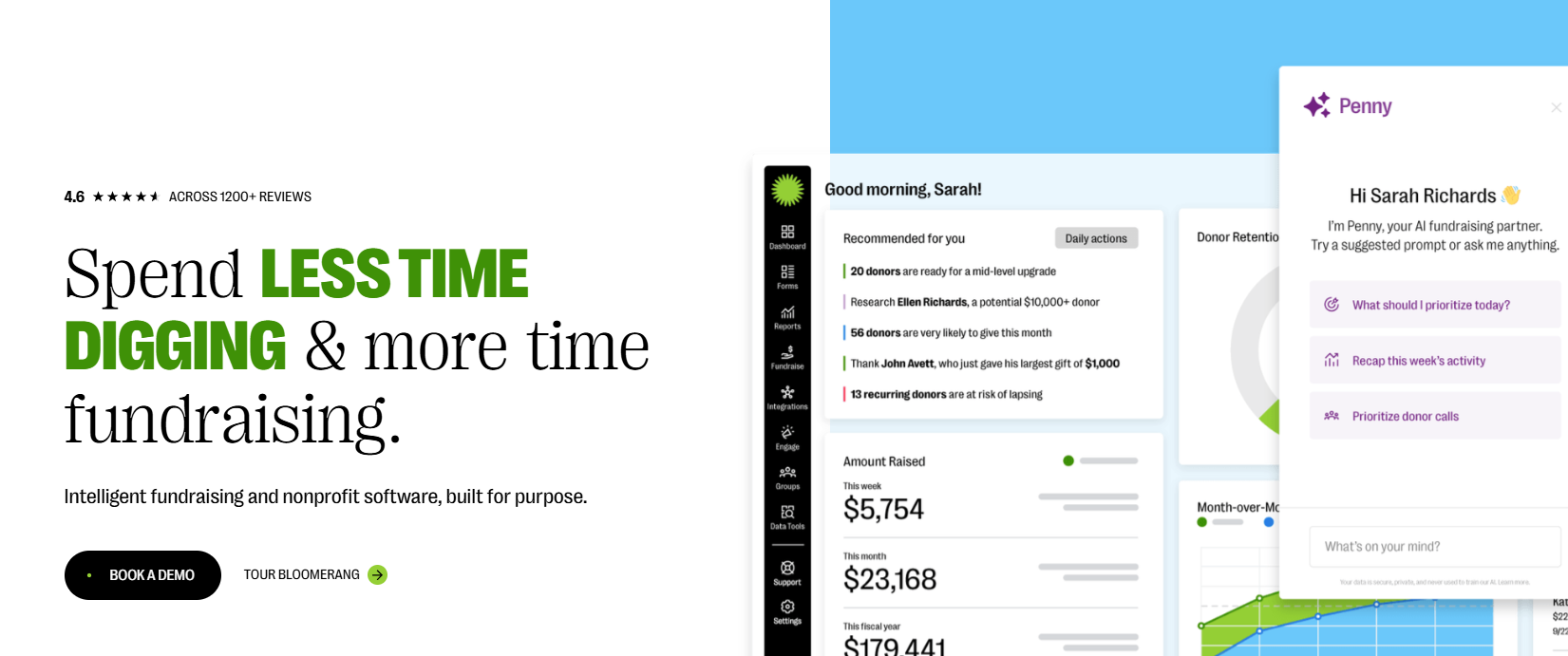
The platform is best-suited to nonprofits focused on donor retention and volunteer-driven programs. Your donors and volunteers are all in one place, which makes it easier to spot the people who give both time and money. Every plan includes unlimited users, so the whole team can log in.
However, for community-driven capabilities, you’ll still need a space where members connect directly with each other. Directories, groups, and discussions aren't among Bloomerang's current features.
Pros
Cons
Pricing: Quote-based and billed annually, with the price set by the number of records in your database. Every plan includes unlimited users, and the proposal covers core products, training, and onboarding.
Disco is a learning and community platform. It brings courses, cohort-based and self-paced programs, learning pathways, events, community chat, and a member directory together, with AI tools to help you build the curriculum for these courses and programs.

It’s a good fit for nonprofits with learning or training-led communities, such as volunteer training, certification programs, or member education. Disco’s strength is in bringing learning and conversation together in the same space. Its course tools include quizzes, assignments, prerequisites, and SCORM support, which helps if you're training volunteers or running a certification program.
But Disco does not come with a CRM or a donation tool. It connects through Zapier and Stripe, and the Scale plan adds API access and webhooks.
Pros
Cons
Pricing: The Create plan is $399 per month billed annually or $499 billed monthly. Scale starts at $999 per month. Disco does offer a nonprofit discount.
Mighty Networks is a community platform built for creators and organizations. Every plan comes with community feeds, courses, live streaming, events, unlimited members, and subscription or one-time payments. It’s a good fit for community-first organizations that want to add paid memberships or paid programs. You get a full community product at a low entry price, with events and live streaming already built in.
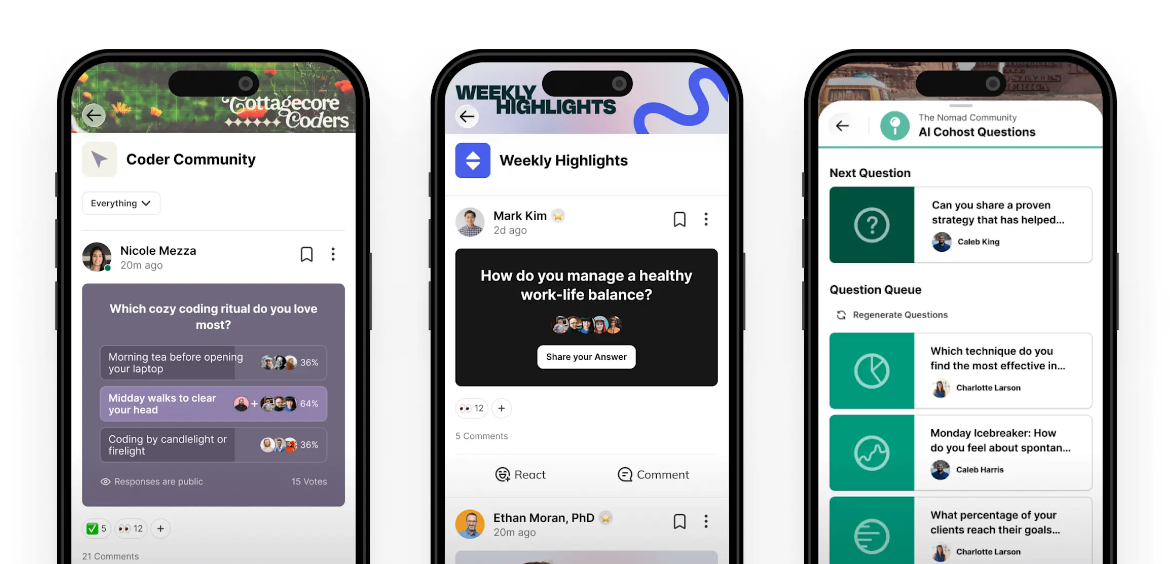
However, you’ll still need a donor CRM, since payments are set up for memberships and programs. The Mighty Pro plan also offers a branded mobile app.
Pros
Cons
Pricing: The Launch plan is $79 per month with a 2% transaction fee. Scale is $179 per month (1%) and Growth is $354 per month (0.5%). Mighty Pro is custom.
Glue Up is an all-in-one membership management platform designed for associations, chambers of commerce, nonprofits, and professional networks. It combines membership management, event management, CRM, email marketing, and payment processing with community-building tools such as member directories, discussion feeds, and one-on-one messaging.
Members can also access a dedicated mobile app to connect with other members, register for events, pay dues, and keep their profiles up to date.
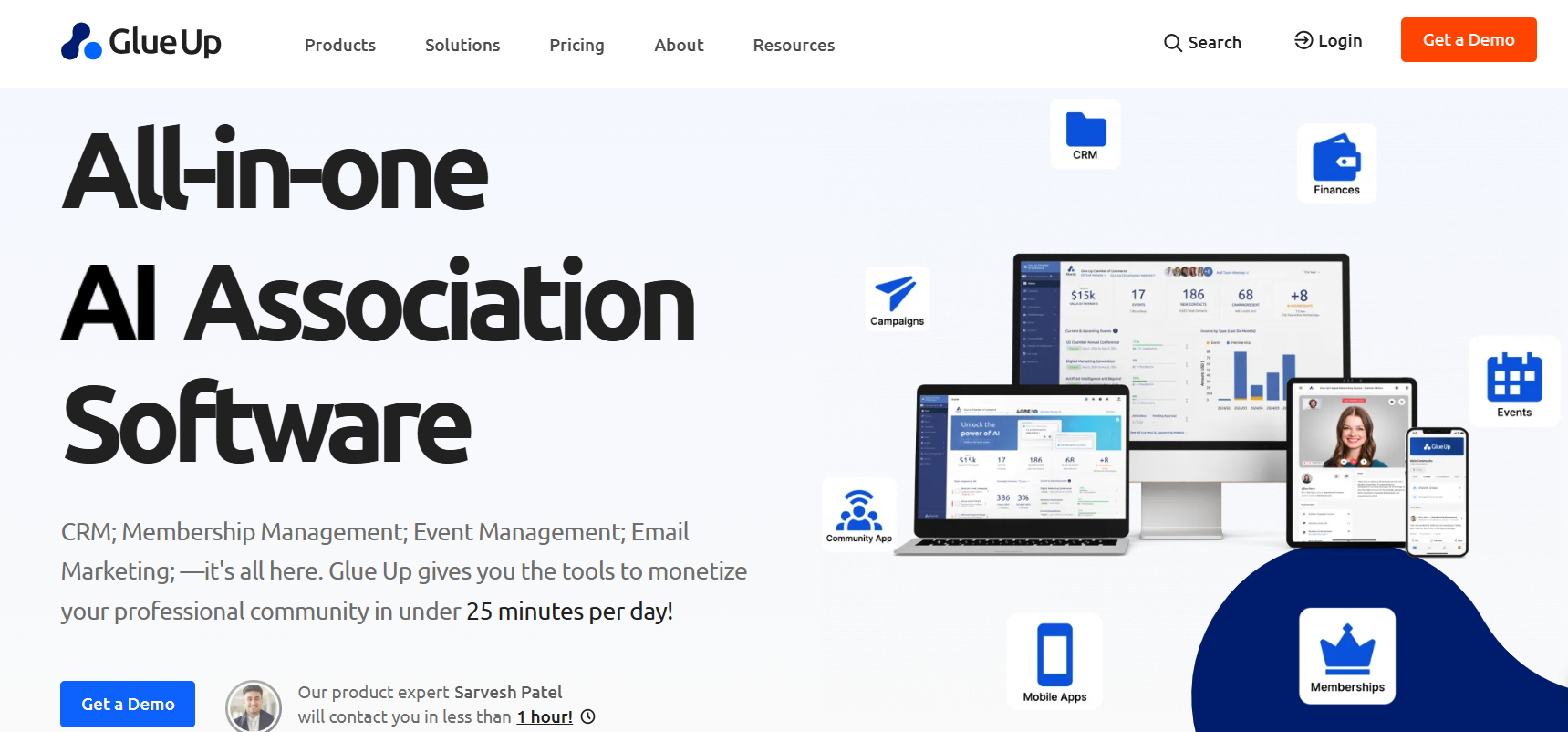
Renewals, payments, and member directories sit right next to your events and member community, so your team isn’t stitching several tools together.
However, if you raise most of your revenue from donors, you may want a dedicated fundraising tool alongside it. If you already have an established donor CRM, it’s worth checking how the two systems will share data.
Pros
Cons
Pricing: The Essential plan starts from $3,000 to $6,500 per year. Higher tiers start from $8,000 to $18,500 per year.
A good place to start is the program that already drives most of your engagement. Find it in the left column, then look at the platforms built for that kind of work.
You might see yourself in more than one row, and that's normal. A team with a big annual gala and an active volunteer base might pair an auction tool with a CRM-connected community platform.
Your CRM is your one source of truth. The community platform's job is to keep it supplied with accurate engagement data, so your team can act on the signals your supporters are sending.
Here’s what you should be syncing:
Profile updates are perhaps the most important here. When a supporter changes their email or employer in the community, that change should reach your CRM without anyone on your team retyping it.
Neon One, Bloomerang, and Givebutter come with a CRM, so engagement and giving data share one database. That's a good fit if you're choosing a CRM for the first time or you're ready to switch.
Almabase and Disco connect to the CRM you already run. Almabase offers two-way profile sync with Raiser's Edge NXT, a native Blackbaud CRM integration, and scheduled exports for other systems. Disco connects through Zapier, with API access and webhooks on its Scale plan. This route makes sense if your CRM holds years of history and you have no plans to move it.
Think about how your community is organized. Chapters, regions, volunteer cohorts, and board members need their own spaces and permissions. Check whether you can gate content by role or membership level, and whether members can find each other in a searchable directory.
Event needs vary a lot. A monthly volunteer meetup needs registration and reminders. A gala needs ticketing, table management, mobile bidding, and quick check-out at the end of the night. If auctions bring in a big share of your revenue, compare event-night tools closely as well.
Our blog comparing fundraising event software goes deeper into this.
Make sure the platform handles the payments you take today: one-time gifts, recurring gifts, dues, tickets, or paid programs. Then work out the real cost per transaction, including platform fees, processing fees, and how any donor tip model works.
Ask which records sync, in which direction, and how often. Two-way profile sync keeps contact details current in both systems. One-way exports are simpler to set up and leave more cleanup to your data team.
You'll want to see who engaged, how, and whether those people went on to give. Reports that put community activity next to giving data are the clearest way to show impact and what your community is worth.
Ask how long it takes to set up a typical event or campaign, what support looks like after launch, and whether members can take part easily from their phones. Branded mobile apps/experiences are likely saved for higher plans, so it’s best to be clear from the get-go.
If event sign-ups sit in one tool, donations in another, and volunteer hours in a spreadsheet, nobody on your team sees the whole supporter. A community platform can close that gap, as long as what supporters do there reaches the record your fundraisers work from.
If you're choosing a CRM for the first time, a platform with one built in keeps things simple. If your team already has a CRM it trusts, look for a platform that brings directories, groups, mentoring, events, and giving together and keeps that CRM up to date. This is exactly what we built Almabase to do.
See how Almabase works with your CRM. Request a personalized demo built around your current setup! 🙂↕️
It's software that gives your supporters a branded space to connect with each other and with you. Most include a directory, groups, events, messaging, volunteer or mentoring programs, and payments. Together, these turn one-off interactions into ongoing participation your team can see and track.
Yes, each does a different job. A CRM stores supporter records and giving history. A fundraising platform processes donations and runs campaigns. A community platform is where everyday interaction happens. Some products cover two of these, so most nonprofits end up with two or three tools. What matters most is that they share data.
Start small, with a group that already gets together, such as your volunteers, a local chapter, or a giving society. Create a reason for them to log in, like event sign-ups, a mentoring program, or member-only updates. Ask a few staff members and active volunteers to get early conversations going. Once that first group is active, invite the next one.
A community shows you who's engaged, before their first gift and in between gifts. Event attendance, volunteering, and group activity help your fundraisers decide whom to ask, when, and for what. When that activity syncs to your CRM, your annual fund and major gift teams can build it into their prospect lists.
Look at five things: community spaces and access controls, event depth, giving and payment options, CRM sync, and how much admin work it takes. Then weigh them against the program that drives most of your engagement today.
Keep an eye on active members over time, repeat event attendance, and participation in volunteer or mentoring programs. Then compare giving among your engaged supporters with giving across everyone else. You'll need community activity and gift data in the same place to make that comparison.

8 Best Online Community Platforms for Nonprofits Compared
Lorem ipsum dolor sit amet, consectetur adipiscing elit. Suspendisse varius enim in eros elementum tristique. Duis cursus, mi quis viverra ornare, eros dolor interdum nulla, ut commodo diam libero vitae erat. Aenean faucibus nibh et justo cursus id rutrum lorem imperdiet. Nunc ut sem vitae risus tristique posuere.

Anwesha Kiran
November 18, 2026
12 minutes
Before making a gift, many donors will do their homework by visiting your website, scrolling through your social media, and searching your organization’s name to see what comes up. Along the way, they’re watching for red flags like slow-loading pages, a cluttered or spammy layout, or an events page that hasn’t changed in three years.
And they’re doing this with good reason. Online scams are more convincing than ever, and AI-generated content has made it harder to tell what’s real. As a result, users are increasingly approaching unfamiliar websites with a dose of skepticism. This means that non-profits and higher ed institutions cannot assume trust and credibility, and it has to be built with donors.
Building donor trust online comes down to a handful of practical habits that can also support strong donor relationships in the long term. In this article, we will walk you through three ways to show donors your organization is secure, active, and credible.
Even if donors connect with your mission, they need to know their credit card and personal information are safe. If your site feels risky, even the most moving story won’t get them to click “Donate.”
Start with these basics:
Privacy expectations are shifting as technology changes, too. Many donors now want to know how organizations handle their information, including whether AI tools are involved. It’s worth reading up on how advancement teams are approaching AI and donor trust so your data practices keep pace.
Picture this: a prospective donor lands on your homepage and sees “meals served in 2021” as your highlighted metric. Then they go to your Facebook page and see that your most recent post is from last year. This could send confusing messages about if your organization is still active or not.
Fresh content signals that your organization is still at work pursuing its mission. Here are some tips to help keep your content fresh and engaging:
The same principle applies to your outreach. Short, timely donation messages that mention current campaigns and recent wins show donors their support is part of something happening now.
Regular nonprofit website maintenance makes all of this easier. When you set a schedule for reviewing content, checking links, and refreshing stats, your site will never have the chance to look abandoned.
When prospective donors want to learn more about your school or the issues your nonprofit tackles, they search. If they can’t find you, or worse, if they find inaccurate information about you, they won’t see you as an authority on the subject.
Search is also changing fast. Tools like Google’s AI Overviews and Perplexity now summarize answers right in search results, and many people ask their questions directly to large language models (LLMs) like ChatGPT, Claude, and Gemini. That means organizations need to optimize for traditional search engines to make sure AI tools cite them as the trusted source.
Luckily, many best practices support both traditional search engines and AI tools. To help your content show up where your donors and advocates are looking, try the following:
While AI search is growing, traditional search still drives a significant portion of website traffic. Strong search engine optimization remains the foundation of both. It works best when it’s tied to your overall fundraising strategy, ensuring every optimized page leads visitors to clear calls to action and a straightforward path to donate..
Building donor trust online isn’t a one-time project. It’s an ongoing commitment to keeping your website secure, current, and easy to find. When donors feel confident in your organization, they’re more likely to give and keep giving. That confidence is at the heart of any long-term donor retention strategy.
Small updates add up, and donors notice. Start off by opening your website in an incognito window and look at it the way a potential first-time donor would. Is the copyright in your footer from 2022? Does the browser bar say “Not Secure?” Pick one or two quick fixes and tackle them this week. Donor trust grows through these small moments. Keep your website secure, current, and easy to navigate, and you give donors more reasons to feel confident supporting your organization.

3 Ways Your Nonprofit Can Instill Trust in Donors Online
Lorem ipsum dolor sit amet, consectetur adipiscing elit. Suspendisse varius enim in eros elementum tristique. Duis cursus, mi quis viverra ornare, eros dolor interdum nulla, ut commodo diam libero vitae erat. Aenean faucibus nibh et justo cursus id rutrum lorem imperdiet. Nunc ut sem vitae risus tristique posuere.

Ira Horowitz
October 6, 2026
12 minutes